Everything in this category reduces to a surprisingly short list of commands. This complete power-user ADB commands cheat sheet for MacroDroid collects them in one place — the grants, the settings keys, the whitelists, the verification reads — each annotated with what it does, when MacroDroid needs it, and how to undo it. Bookmark it; it is the reference page the other nineteen articles in this series keep sending you to.
Ground rules before any command
- Read before you write. Every
putin this sheet has aget. Record originals; the undo for almost everything is “write the original back”. - Grants are trust decisions. A permission you hand out with
pm grantis powerful precisely because the system never offers it in a dialog. Grant to MacroDroid and its Helper — apps whose entire job is executing your instructions — and think twice anywhere else. - Know your shell. PC ADB shell = the shell user, broadest reach. MacroDroid Helper shell = only what was granted to the Helper. A command failing in one and working in the other is information, not a bug.
- Packages: MacroDroid is
com.arlosoft.macrodroid; the Helper iscom.arlosoft.macrodroid.helper. Most commands below apply to both.
Power-user ADB commands cheat sheet for MacroDroid: the grants
| Command | Effect | Undo |
|---|---|---|
adb shell pm grant com.arlosoft.macrodroid android.permission.WRITE_SECURE_SETTINGS |
Lets MacroDroid write secure/global settings keys | Same command with pm revoke |
adb shell pm grant com.arlosoft.macrodroid android.permission.DUMP |
Lets MacroDroid read system diagnostics some actions need | pm revoke |
adb shell cmd appops set com.arlosoft.macrodroid GET_USAGE_STATS allow |
Usage-stats access for app-based triggers without the settings detour | Set op to default |
adb shell dumpsys package com.arlosoft.macrodroid | grep granted=true |
Verification: lists which permissions are actually granted | — (read only) |
Full walkthrough, including wireless debugging: granting WRITE_SECURE_SETTINGS to MacroDroid.
How to read this: the estimate adds a small always-on idle cost for MacroDroid itself (about 0.4% of battery per day) to a per-class daily cost for each trigger type you use, scaled slightly by how many macros you run. These are planning estimates from that transparent model — not measurements from your phone. Use them to compare setups before you build, then confirm against the real numbers under Android Settings → Battery.
Settings keys: the writable surface
| Key (namespace) | Command pattern | Used for |
|---|---|---|
screen_off_timeout (system) |
settings put system screen_off_timeout 60000 (ms) |
Per-app screen timeouts |
font_scale (system) |
settings put system font_scale 1.15 |
UI profiles |
screen_brightness / screen_brightness_mode (system) |
settings put system screen_brightness 120; mode 0 manual / 1 auto |
Brightness calibration |
screen_auto_brightness_adj (secure) |
settings put secure screen_auto_brightness_adj -0.2 (−1.0…1.0, build-dependent) |
Biasing adaptive brightness |
policy_control (global) |
settings put global policy_control immersive.navigation=* |
Immersive mode |
private_dns_mode / private_dns_specifier (global) |
settings put global private_dns_mode hostname |
Private DNS switching |
window_animation_scale etc. (global) |
settings put global window_animation_scale 0.5 |
Perceived-speed profiles |
preferred_network_mode (global) |
Read-first; values are vendor-specific | Network mode work — verify before writing |
Universal undo pattern: settings get <namespace> <key> first, settings put the recorded value back later, or settings delete where the factory state is “unset”.
Power and background execution
| Command | Effect |
|---|---|
dumpsys deviceidle whitelist +<pkg> |
Exempt from battery optimisation (Doze whitelist) |
dumpsys deviceidle whitelist |
List current exemptions (verification) |
cmd appops set <pkg> RUN_ANY_IN_BACKGROUND allow |
Permit background execution at the app-ops layer |
am set-standby-bucket <pkg> active |
Place app in the least-restricted standby bucket |
dumpsys deviceidle whitelist -<pkg> |
Undo the exemption |
Context and OEM caveats: overriding OEM power management.
Roles, locales, and miscellaneous power tools
| Command | Effect |
|---|---|
cmd role get-role-holders android.app.role.HOME |
Show the current default launcher |
cmd role add-role-holder android.app.role.HOME <pkg> |
Set the default launcher — see car dock launcher switching |
cmd locale set-app-locales <pkg> --locales en-GB |
Per-app language (Android 13+) — see language automation |
cmd appops set <pkg> android:coarse_location ignore |
Soft-restrict an app’s operation — see permission revocation |
pm trim-caches 999G |
Ask all apps to trim caches — see the maintenance routine |
svc usb setFunctions rndis |
Request USB networking function — see USB tethering (build-dependent) |
logcat -c |
Clear log buffers before a clean diagnostic capture |
Connection and session commands
adb devices— list connected/authorised devices; the first diagnostic for every failure.adb pair <ip:port>thenadb connect <ip:port>— wireless debugging pairing (Android 11+).adb shell pm list packages | grep macro— find exact package names when a command claims a package does not exist.adb shell settings list global(or system/secure) — dump a whole namespace when hunting for a key; long output, pipe to a file.adb reboot— after a session of changes, a clean reboot plus re-reading your key values is the cheapest full-system verification there is; pair it with the checks in startup automation.
The safety checklist that travels with this sheet
- Originals recorded for every value changed today.
- Grants given only to packages you can justify in one sentence.
- One change at a time, verified, before the next.
- No command copied from a forum without knowing which of these tables it belongs to and what its undo is.
- USB debugging left enabled only if you use it; the grants survive without it.
That discipline — not any single command — is what makes the rest of this system tweaks category safe to explore.
Diagnostics and verification commands
| Command | What it tells you |
|---|---|
adb shell dumpsys package <pkg> | grep -A2 "granted=true" |
Which permissions a package actually holds, in practice |
adb shell settings list <namespace> |
Every key in a namespace — the haystack, when you are hunting one needle |
adb shell getprop ro.build.version.release / ro.build.version.sdk |
Android version and API level — check before trusting any version-specific claim (including this site’s) |
adb shell dumpsys battery |
Charge state, level, temperature, health as the system sees them |
adb shell cmd appops get <pkg> |
Every app-op mode currently set for a package — your audit starting point |
adb shell wm density / wm size |
Physical vs overridden display density and resolution |
adb shell dumpsys deviceidle whitelist |
The exemption list, read back — the only acceptable proof a whitelist command worked |
Read output like an engineer, not like a believer: a command that prints nothing after a put has told you nothing, in either direction. The verification habit — every write paired with its read, in this sheet and in your own notes — is what separates a cheat sheet from a superstition list. When output contradicts a guide (this one included), believe the output: builds differ, and your phone is the ground truth for your phone.
Session habits worth stealing
Keep a plain-text “phone log” on your computer: date, commands run, originals read, results. Five lines per session. It feels bureaucratic the first week and indispensable the first time an update changes behaviour and you need to know what your phone looked like before. Name your MacroDroid macros after the commands they embody (SET policy_control immersive (car) beats Macro 47 when you are reading them at midnight). And when you retire a tweak, actually retire it: run the undo, delete the macro, strike the log line through rather than deleting it — your future self, debugging a stranger behaviour in six months, is the audience for all of this paperwork.
How this sheet was organised (and how to extend it)
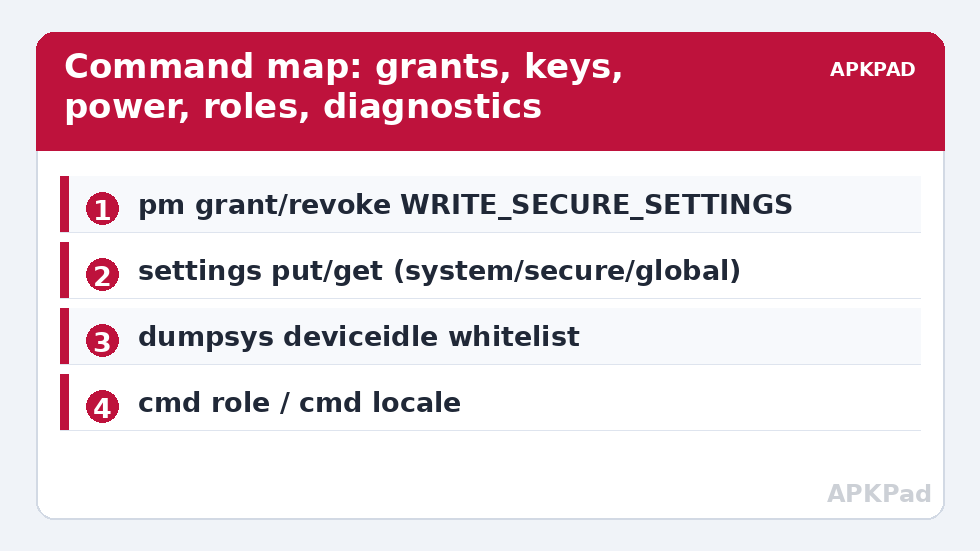
The order is deliberate: grants first because everything depends on them, settings keys second because they are the daily vocabulary, power third because it decides whether anything runs at all, and diagnostics last because they are how you close the loop. When you discover a new command in the wild — a forum post, another guide, an OEM’s documentation — file it under the matching heading in your own copy of this list, with three annotations before you ever run it: what it changes, what reads it back, and what writes the original value home. A command that cannot fill in those three lines is not ready for your phone. That single habit converts the internet’s endless command soup into a personal, verified toolkit that grows at exactly the speed of your understanding — which is the real subject of this entire category, and the note this cheat sheet properly ends on.
Frequently Asked Questions
Which single command matters most for MacroDroid?
The WRITE_SECURE_SETTINGS grant for both MacroDroid and its Helper. It unlocks the settings writes that most of this category depends on, persists across reboots, and revokes with one command.
Why does a command work from my PC but not inside MacroDroid?
The PC’s ADB shell runs as the shell user; MacroDroid’s Helper shell holds only the privileges granted to the Helper package. Some operations (certain dumpsys and cmd calls) accept only the shell user. Keep those in a PC-side setup script and use MacroDroid for the rest.
How do I find the current value of a setting before changing it?
Use the matching get: adb shell settings get <namespace> <key> — for example settings get system screen_off_timeout. Write the result down; it is your undo value.
Are these commands dangerous?
Individually, no — they change preferences, grants, and exemptions, all reversible. The risk is procedural: changing many values at once without recording originals. The checklist above exists because untracked changes, not powerful commands, are what strand people.
Where do I learn what each command enables?
Each table row links to the full article for that technique — the grant walkthrough, the DNS switcher, the power-management overrides — with the context, limits, and undo steps this reference format cannot carry.