Your normal launcher is a dense, personal command centre — exactly wrong for driving. Car-friendly launchers exist with giant buttons and voice-first design, but nobody swaps launchers manually twice a day, so nobody uses them. The missing piece is a macro that notices the car and performs the swap itself. This guide shows how to change the default launcher automatically when the phone enters car dock mode, using Android’s role system, the shell command behind it, and a MacroDroid trigger design that puts your real launcher back when the trip ends.
Change the default launcher for car dock mode: the HOME role mechanism
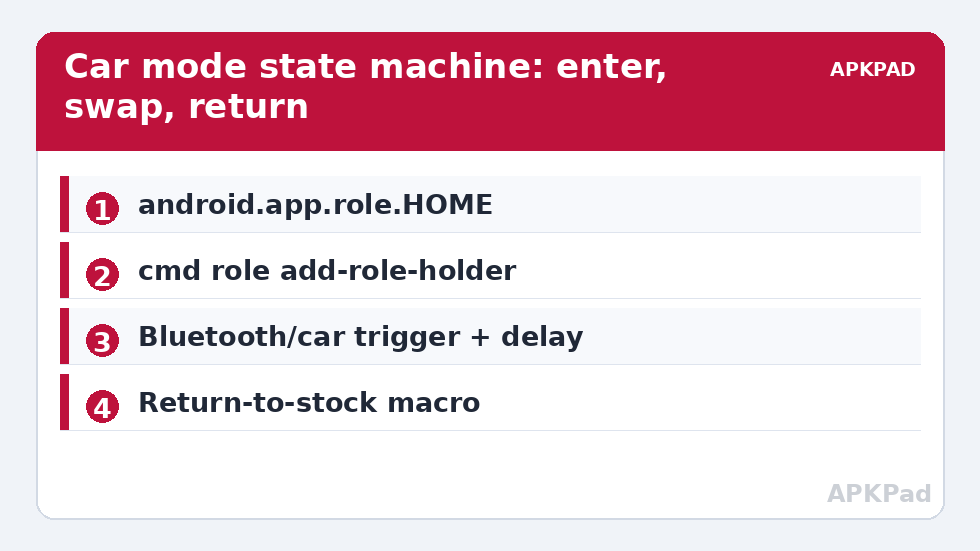
Since Android 10, the default home app is a role (android.app.role.HOME) managed by the Role Manager, replacing the older home-activity preference plumbing. Roles can be inspected and modified from the shell:
adb shell cmd role get-role-holders android.app.role.HOME
adb shell cmd role add-role-holder android.app.role.HOME com.example.carlauncher
The first command tells you who currently holds the role — record that package name before changing anything; it is your undo. The second hands the role to another launcher. Two conditions apply: the target package must actually be a launcher (it must declare a HOME category intent, which every real launcher does), and on some builds the system shows a user confirmation when the role changes hands outside Settings — if your build insists on confirming, the macro route degrades to “opens the Default apps screen at the right moment”, which is still a large improvement over digging through Settings manually.
Older devices (Android 9 and below) use the package-manager route instead: cmd package set-home-activity or pm set-home-activity <package/activity>. The principle is identical: read the current holder, write the new one, restore later. Via MacroDroid, these commands run in a Shell Script action through the Helper with its granted privileges — the same foundation as the WRITE_SECURE_SETTINGS grant, with the same caveat that OEM builds vary in what the on-device shell may do. Test from a PC’s ADB first; if it works there but not from the Helper, your build restricts role changes to the shell user and the assisted route is your answer.
How to read this: the estimate adds a small always-on idle cost for MacroDroid itself (about 0.4% of battery per day) to a per-class daily cost for each trigger type you use, scaled slightly by how many macros you run. These are planning estimates from that transparent model — not measurements from your phone. Use them to compare setups before you build, then confirm against the real numbers under Android Settings → Battery.
Choosing the trigger: what “in the car” reliably means
| Signal | Reliability | False positives |
|---|---|---|
| Bluetooth connected to the car’s head unit | High — the strongest signal most users have | Near zero if you match the specific device |
| Car dock / magnetic mount (NFC tag in the mount) | High if you use a tag | Only when the phone meets the tag — which is the point |
| Charging + a driving app opened | Medium | Desk charging while reading maps |
| Android Auto connection | High | None, but if you have Android Auto you may not need a car launcher at all |
| Speed/movement detection | Low | Trains, buses, being a passenger — do not drive a launcher swap off this |
Bluetooth-to-head-unit is the design centre. The restore trigger is its mirror: Bluetooth disconnected from that same device. Add one refinement — a short delay (2–3 minutes) on the restore, because brief Bluetooth drops at fuel stops or tunnels should not bounce your launcher back and forth mid-trip. MacroDroid constraints plus a wait action handle this cleanly.
The macro pair
Macro 1 — “Enter car mode”
- Trigger: Bluetooth Device Connected → your car’s head unit (specific device, not “any Bluetooth”).
- Action 1: Set a boolean variable
in_car = true— your other macros (and your dashboard, if it shows mode) will want this state. - Action 2: Shell Script →
cmd role add-role-holder android.app.role.HOME <car launcher package>. - Action 3: Simulate a Home press (MacroDroid’s Press Home / Go Home action) so the new launcher surfaces immediately rather than at the next home press.
- Companion settings (optional): this is the natural home for your driving profile — screen timeout up via the pattern in per-app timeout control, media volume set, Do Not Disturb in driving mode.
Macro 2 — “Exit car mode”
- Trigger: Bluetooth Device Disconnected → the same head unit.
- Action 1: Wait 3 minutes, with the macro configured to stop if the car reconnects (MacroDroid’s wait + a re-check of the Bluetooth state, or simply accept the rare unnecessary restore).
- Action 2: Shell Script →
cmd role add-role-holder android.app.role.HOME <your normal launcher package>— the package you recorded from the get command. - Action 3:
in_car = false; restore any companion settings Macro 1 changed.
What can go wrong, honestly catalogued
- The confirmation dialog: some builds prompt when the HOME role changes. If yours does, the swap needs one tap — still far better than the Settings journey, and the dialog appears in context.
- The car launcher is not a launcher: a few “car mode” apps are overlays, not HOME apps, and cannot hold the role. The add-role-holder command will refuse them; use a true launcher or accept an overlay app launched normally on top.
- Widgets and layout amnesia: switching default launchers does not delete either launcher’s layout — each keeps its own home screens, which is exactly what makes this scheme pleasant. First run in the car launcher is setup time, not a defect.
- Gesture navigation quirks: some OEM gesture systems behave slightly differently under third-party launchers. If your normal launcher is the stock one and gestures feel off in the car launcher, that is the known platform trade-off, not your macro.
Undo
At any moment, independent of macros: Settings → Apps → Default apps → Home app → pick your normal launcher. From the shell: the add-role-holder command with your recorded original package. Disable the two macros and the phone never swaps again. Everything here is role assignment — a preference, not a modification — and the system tweaks category keeps it that way on purpose.
Choosing the car launcher itself
The automation is only as good as what it switches to. Judge candidate car launchers on driving criteria, not home-screen criteria: buttons must be hittable without looking — genuinely large, few per screen; text must be readable at arm’s length in daylight, which favours high contrast over beauty; the essentials (navigation, calls, music, voice assistant) must be one tap from the top level, because a car launcher that requires navigation to reach navigation has failed; and it must behave offline, since car parks and rural roads are where signal and patience both run out. Ignore widget support, icon packs, and gesture systems entirely — the features that make a launcher delightful at a desk are inert weight at seventy kilometres an hour. Spend your setup time instead on the launcher’s home row: order it by driving frequency, rehearse it parked, and only then let the macro pair take over the switching.
The passenger problem and other borrowed-car cases
Bluetooth matching has one blind spot: it identifies the car, not the driver. If your partner drives the same car with your phone aboard as a passenger, your phone will dutifully enter car mode in their hands — harmless, occasionally funny. The sharper case is a rental or a colleague’s car with a same-named head unit: matching by device name alone can misfire, so prefer matching the specific device entry MacroDroid lists (its identity, not just its display name) and keep the swap reversible by the exit macro plus the knowledge that Settings → Default apps is always thirty seconds away. If you regularly ride in cars you do not drive, add a constraint — car mode only when the phone is also charging from the car, or only after a confirmation notification you can dismiss. Automation that occasionally asks is better than automation that confidently does the wrong thing in someone else’s vehicle.
Frequently Asked Questions
What is the HOME role?
Android 10+ manages the default launcher as a system “role” (android.app.role.HOME) held by exactly one app. Changing the holder changes the default launcher. You can read the current holder with cmd role get-role-holders android.app.role.HOME and set it with add-role-holder.
Will switching launchers delete my home screen layout?
No. Each launcher stores its own layout. Swapping the default changes which one appears; both setups remain intact, which is what makes a dedicated car layout practical.
My macro runs but the launcher does not change. Why?
Three usual causes: the target app is not a true launcher (it cannot hold the HOME role), your build requires a user confirmation for role changes, or the on-device shell lacks the privilege your PC’s ADB shell had. Test the exact command from ADB first to separate the cases.
How do I stop the launcher bouncing on short Bluetooth drops?
Delay the restore macro by a few minutes and cancel it if the car reconnects. Fuel stops and tunnels cause brief disconnects; a 2–3 minute grace period absorbs them without leaving you in the car launcher at your desk.
How do I undo this completely?
Set your normal launcher in Settings → Apps → Default apps → Home app (or re-run add-role-holder with its package name), then disable the two macros. Role assignment is a preference, so removal is total and instant.