Adaptive brightness is trained on everyone except you: it learns the room, not your preferences, and it is reliably too bright at midnight and too dim at noon for somebody on every phone. The fix is not to disable it — it is to give it a schedule. This guide shows how to automate adaptive brightness calibration based on time of day with MacroDroid: firm fixed levels when you know exactly what you want, a gentle offset to the automatic system where your build allows it, and restore points that hand control back to the sensor when the schedule ends.
The two numbers that run brightness
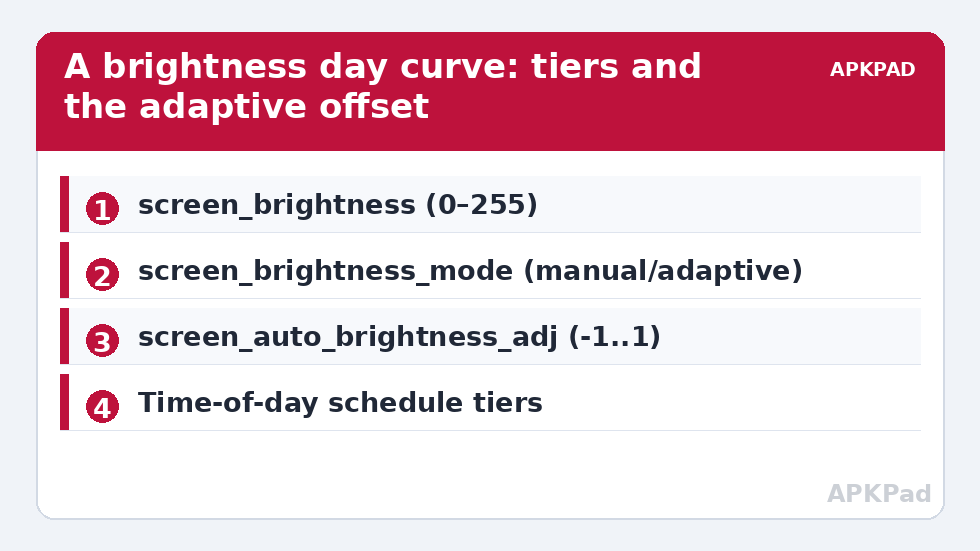
| Key | Namespace | Values |
|---|---|---|
screen_brightness_mode |
system | 0 = manual, 1 = automatic (adaptive) |
screen_brightness |
system | 0–255 on classic scale (the slider’s raw value) |
screen_auto_brightness_adj |
secure | -1.0 to 1.0 float offset to adaptive brightness — present on many, not all, builds |
The commands mirror what MacroDroid’s System Setting and Brightness actions do under the hood:
adb shell settings put system screen_brightness_mode 0
adb shell settings put system screen_brightness 60
Raw values need translation into human terms: on the 0–255 scale, roughly 10–25 is a dark room, 50–80 is indoor evening, 120–160 is a bright office, and 200+ is outdoors shade. Full 255 in daylight sun still loses to the sun — no schedule fixes physics, and any guide implying otherwise has not used the phone outside.
Automate adaptive brightness calibration by time of day: strategy A (works everywhere)
- Trigger set: four Day/Time triggers — 07:00, 12:30, 18:30, 22:30 — or use sunrise/sunset triggers if your routine follows the light rather than the clock (MacroDroid offers both; travellers should prefer solar triggers).
- Actions per slot: Brightness action with “force manual” behaviour — set mode to manual and the level for that slot: morning 45%, midday 70% (or hand back to adaptive if you are outdoors unpredictably — see Strategy B), evening 35%, night 12%.
- The wake-up case deserves care: an alarm at 06:30 in a dark room should not meet a 45% screen. Keep the first slot modest and let a later slot raise it; your eyes are a stakeholder.
- Restore point: fixed schedules need no undo during the day because each slot overwrites the last — the schedule is the state machine. The exit condition is simply disabling the macros, after which you set brightness once by hand.
Fixed levels pair naturally with the evening profile in automating system UI settings — font up, brightness down, animations calmer, all from one time trigger.
How to read this: the estimate adds a small always-on idle cost for MacroDroid itself (about 0.4% of battery per day) to a per-class daily cost for each trigger type you use, scaled slightly by how many macros you run. These are planning estimates from that transparent model — not measurements from your phone. Use them to compare setups before you build, then confirm against the real numbers under Android Settings → Battery.
Strategy B: offset the adaptive system instead of replacing it
If your build exposes screen_auto_brightness_adj, you get the connoisseur’s option: keep adaptive mode on, and bias it. A value of 0.0 is neutral; negative values make the automatic curve dimmer overall, positive values brighter, within ±1.0. Schedule the offset, not the level:
- Daytime:
adj = 0.1(a touch brighter than the sensor’s opinion) - Evening:
adj = -0.2 - Night:
adj = -0.45(adaptive, but firmly discouraged)
Write it with a System Setting action (Secure category — the ADB grant from the grant guide is required for secure keys). Verify support before building on it: adb shell settings get secure screen_auto_brightness_adj returning a number rather than “null” means your build honours it. Where it returns null — many OEM builds route their own brightness AI instead — Strategy A is your answer, and no macro can conjure the key into existence.
Why prefer B where available? Because it keeps the sensor in the loop. Walk from a dim corridor into sunlight and the offset system still reacts instantly; a fixed schedule sits at its evening value, blind. The schedule handles the predictable (your rooms, your hours); the sensor handles the weather.
Refinements that separate a schedule from a nuisance
- Smooth the steps: a jump from 12% to 70% at 07:00 sharp is a small assault. Where it matters (the morning slot), use two or three steps ten minutes apart, or accept the jump only after the alarm dismisses — an Alarm trigger constraint does this elegantly.
- Do not fight the user: if you manually adjust brightness, a schedule that instantly re asserts itself is hostile. Add a MacroDroid variable timestamp for “last brightness macro run” and a constraint that a manual change (detected via a Setting Changed trigger where your build supports it) suppresses the next scheduled step. Simpler variant most people keep: schedules at day-part boundaries only, never repeated enforcement.
- Location beats clock for commuters: leaving a bright office at 17:00 in winter is night. A geofence-exit trigger for your workplace, writing the evening values, tracks your real life better than 18:30 does.
- Charging-at-desk exception: a phone charging on a bright desk stand can sit at a fixed, glanceable level with a long timeout — combine with the charging override pattern from the per-app timeout guide.
Undo
Disable the macros, then return control to the sensor: Settings → Display → Adaptive brightness on, or settings put system screen_brightness_mode 1, and if you used offsets, settings put secure screen_auto_brightness_adj 0.0. The phone is then exactly as stock as the day it arrived. Every technique in this system tweaks series is built to end this way — preference values, restored in one line.
Why adaptive brightness “feels wrong”: the training problem
Adaptive brightness is not a fixed curve; modern Android learns from your manual corrections — drag the slider while adaptive is on and the system treats your drag as tuition, biasing future readings of the same light level toward your preference. This is why a new phone’s adaptive brightness is erratic for the first fortnight and settles if you keep correcting it. It also creates a subtle conflict with scheduling: if your macros write fixed levels in manual mode all evening, the learner receives no evening tuition, and the morning you disable the schedule, adaptive is as naive at dusk as the day the phone arrived. The resolution is to decide ownership per day-part: let one system — schedule or learner — own each block. A common settlement: adaptive (with your offsets, Strategy B where supported) owns the variable daytime; the schedule owns the predictable evening and night, where your preference never changes anyway. Ownership stated that plainly, the two systems stop sabotaging each other, and both feel smarter than either did alone.
Special cases: OLED behaviour and sensitive eyes
Two populations should tune the night slot with extra care. OLED owners chasing battery savings favour very low brightness, correctly — on OLED, brightness is the dominant power draw, and a 12% night level is nearly free. But many OLED panels use PWM dimming at low levels, and PWM-sensitive users get eye strain or headaches from exactly those levels, especially in a dark room where the screen is the only light. If that is you, the schedule’s job flips: hold a floor — a minimum level around the panel’s comfortable threshold, often 25–35% — and reduce perceived glare instead with a warm colour temperature (Night Light on a schedule) and dark app themes. Comfort is a specification, not a weakness. The general principle travels: a brightness schedule is a personal calibration, built from your rooms, your panel, and your eyes — which is why this article teaches you to derive the numbers rather than inherit them.
Frequently Asked Questions
Should I use fixed levels or the adaptive offset?
Use the offset (screen_auto_brightness_adj) if your build supports it — it keeps the light sensor working while biasing its decisions by time of day. Use fixed scheduled levels everywhere else; they are universal and predictable. Verify offset support by reading the key with ADB: a number means supported, null means not.
What brightness values correspond to the slider percentages?
The raw system scale is 0–255. As a field guide: 10–25 for dark rooms, 50–80 for indoor evenings, 120–160 for bright offices, 200+ for outdoor shade. MacroDroid’s Brightness action accepts percentages, which map onto this scale.
Why does my phone ignore the scheduled brightness sometimes?
Usually because an app with “draw over” brightness control (video players, e-readers) is in the foreground managing its own window brightness, or because adaptive mode was re-enabled and is overriding within its own logic. Check which strategy you are running and whether the foreground app is the exception.
Can sunrise/sunset triggers replace clock times?
Yes, and for brightness they are arguably better: the schedule follows the actual light. MacroDroid offers sunrise and sunset triggers computed from your location. Clock times remain better for routine-anchored slots like “when my alarm goes off”.
How do I restore stock brightness behaviour?
Turn Adaptive brightness back on in Display settings (screen_brightness_mode 1) and, if you used it, reset screen_auto_brightness_adj to 0.0. Disable the schedule macros. Nothing else was changed.