There is an uncomfortable possibility every automation fan eventually faces: the tool you installed to save battery has become a source of drain itself. Learning how to audit macro battery drain macrodroid log data turns that suspicion into a short, evidence-based list. The log records every trigger firing and action run, which means the phone has been keeping receipts all along — you only need to read them in the right order and resist fixing everything at once.
How to audit macro battery drain macrodroid log entries in the right order
Do not start by scrolling. Start with a question: is there actually a problem? Note your overnight drain for two nights with no changes — charge to a similar level, leave the phone unplugged for similar hours, record the percentage lost. Then open Android’s battery usage screen and look at MacroDroid’s share, remembering that share is relative. Only if overnight drain is genuinely worse than you expect does the log audit begin. This outcome-first rule is the same one our guide to preventing wake-locks from custom macros uses, because chasing a flattering percentage wastes exactly the attention this audit is meant to save.
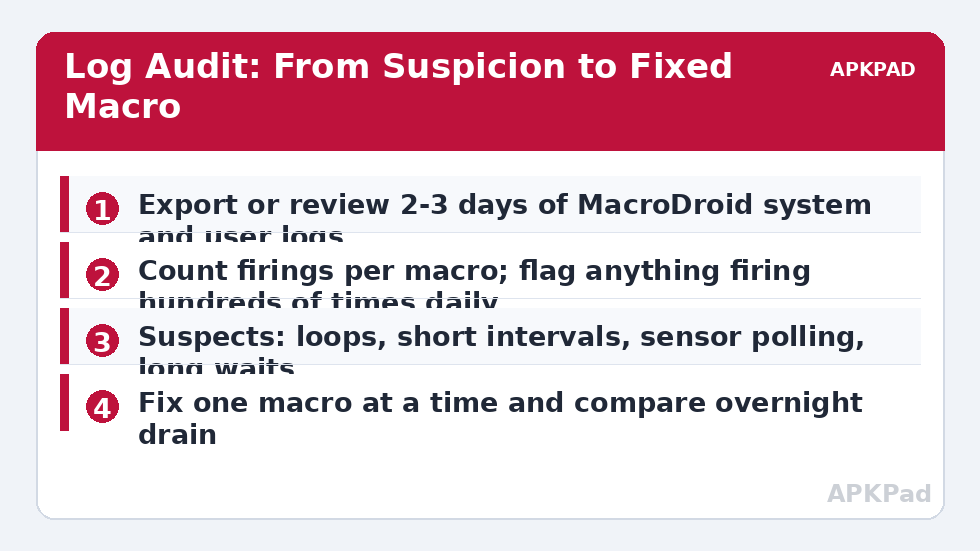
Next, gather two or three days of history. In MacroDroid, open the system log and the user log and work through a full overnight window first, since the screen was off and every firing there is background behaviour you chose — or failed to notice choosing.
How to read this: the estimate adds a small always-on idle cost for MacroDroid itself (about 0.4% of battery per day) to a per-class daily cost for each trigger type you use, scaled slightly by how many macros you run. These are planning estimates from that transparent model — not measurements from your phone. Use them to compare setups before you build, then confirm against the real numbers under Android Settings → Battery.
The audit itself: counting firings macro by macro
- Pick the overnight window, typically 23:00 to 07:00, and scan for repeated macro names. Write down each macro and roughly how many times it fired.
- Flag any macro firing more than about a hundred times overnight, or firing at a metronome-regular interval — regularity is the fingerprint of a timer or polling loop, not of real life.
- For each flagged macro, open it and classify the design: event-based (cheap by nature), time-interval (cost scales with frequency), sensor-based (cost depends on polling), or self-retriggering (the classic overnight disaster).
- Check the log around the first firing of any loop: what started it, and was there supposed to be an exit condition that never became true?
- Rank suspects by firing count multiplied by what each run does — a hundred log-only entries cost little; a hundred GPS checks cost a great deal.
| Pattern in the log | Likely cause | First fix |
|---|---|---|
| Same macro every few minutes, all night | Interval trigger or wait-chain restarting itself | Lengthen the interval; add a battery or time-of-day constraint |
| Bursts of a sensor macro around movement | Light, motion or orientation polling with no gating | Gate checks behind an event such as unlock or screen on |
| A macro starts, never logs its finish | A long wait or loop waiting on a condition that never occurs | Add a timeout and an exit action; log the exit |
| Many different macros at the same timestamps | One trigger fanning out, often a connectivity or time trigger | Consolidate into one macro with if/else branches |
Worked examples make this concrete. A user who built a clever “check the weather every ten minutes and speak it if it changed” macro may find 140 firings a day, each waking the network — the fix is not deletion but a schedule aligned to leaving the house. A shake-detection macro firing all night usually means the phone was on a vibrating surface or in a car; the fix is a night-hours constraint. The audit’s job is to match each pattern to its cheapest honest design, exactly as reducing sensor polling prescribes for sensor-heavy builds.
Fixing in the right order, one change at a time
Fix the worst offender first, then stop and measure for a night. Changing five macros at once feels efficient and teaches you nothing: if drain improves you cannot say why, and if something breaks you cannot say what. The order that usually pays fastest is: kill true loops, then lengthen aggressive intervals, then gate sensor checks behind events, then consolidate duplicates. After each fix, repeat the same overnight comparison you started with. As a typical estimate, fixing one bad loop can recover several percent of overnight drain on affected phones, but it varies by device and by what the loop was doing — plenty of audits end with the humbler finding that one interval was simply set to minutes where hours were intended.
Keep a short audit note as you go — a MacroDroid user log entry or a note in the macro’s description field recording the date, the suspect and the change. Future you, auditing again after an update, will be grateful. That note habit also pairs well with the scheduled review in our weekly battery health check, which turns this one-off investigation into a light routine. You will find both linked from the battery hacks index on APKPad.
Limits of the log — and what it cannot tell you
The log shows MacroDroid’s own behaviour, not the whole phone. It cannot see a streaming app gone rogue, a failing battery, or a carrier problem, and MacroDroid’s reported firings depend on the app itself staying alive: if your OEM’s battery manager kills MacroDroid overnight, the log will look suspiciously peaceful while nothing automated at all. Exclude MacroDroid from battery optimisation if you rely on it, and remember that some actions fail silently without the permissions they need — a macro can log a successful run while its radio toggle did nothing, which is a permissions issue, not a drain issue. Treat the log as the best witness to your macros, not as a complete account of your battery.
Troubleshooting: the audit finds nothing, but drain is real
The log is quiet overnight, yet the battery still falls. Then your macros are probably innocent — audit apps next, and consider signal, since a phone hunting for a tower all night leaves no trace in MacroDroid’s log at all. The log is enormous and hard to read. Filter by macro where your version allows it, work in one-hour slices, and export or copy the worst window rather than reading a week linearly. A macro you deleted still appears in old log entries. That is history, not haunting — entries are timestamps of the past. Clear the log after exporting if a clean slate helps you see the next audit clearly.
A worked example: reading one bad night honestly
Imagine the log shows a macro named Night Check firing 96 times between midnight and 06:00. Open it and you find a wait-chain: it checks a condition, waits five minutes, checks again, and — because the condition involves a sensor reading that never settles indoors at night — never reaches its exit. Each cycle is cheap; 96 cycles with network and sensor work in them is not. The honest fix is structural, not cosmetic: give the macro a maximum number of attempts stored in a variable, after which it logs one line — gave up tonight — and stops until morning. Then compare the next night’s drain against the baseline you recorded at the start. Notice what this example teaches: the log entry that matters most is the absence of a finishing entry. When you build new macros after this audit, add an explicit completion log line to anything with a loop or a wait. Future audits become a search for starts without finishes, which takes minutes instead of an evening, and the habit spreads quietly through everything you build afterwards.
Frequently Asked Questions
MacroDroid shows a high percentage in battery settings. Is it guilty?
Not automatically. Percentages are shares of whatever was used, so on a light day a small absolute cost looks large. Judge by outcomes — overnight drain and how often macros fire in the log — before you blame the app itself.
How many times a day should a normal macro fire?
There is no universal number, but most event-based macros fire a handful to a few dozen times a day. A macro firing hundreds or thousands of times daily needs a reason, and a self-retriggering loop almost never has a good one.
Can I see which macro kept the phone awake overnight?
Usually, yes. Sort the log by time through the night hours: the macro whose name repeats while the screen was off is your suspect. Cross-check with Android’s battery history graph, where a solid awake bar with the screen off confirms it.
Should I delete a draining macro or fix it?
Fix first if the job still matters: lengthen intervals, add constraints, or replace polling with an event trigger. Delete only when the job itself is no longer worth any cost, and export the macro before deleting in case you want it back.
How often should I repeat this audit?
After any big build session, after a major Android update, and whenever overnight drain visibly worsens. A ten-minute log skim on those occasions catches problems while they are still small.