
A hot phone is a phone wasting energy twice: heat is energy leaving as waste, and hot batteries deliver their charge less efficiently and age faster while the system throttles performance around them. Automated thermal protection macros phone cooling setups use MacroDroid’s battery-temperature trigger to shed load in stages as the phone warms — reducing the causes of heat rather than merely reacting to the discomfort of holding it. Set expectations first: a macro cannot cool a phone the way removing a case or leaving the sun can. It can only stop adding heat sooner than you would notice yourself.
Why Phones Heat, in Macro-Relevant Order
The heat sources a macro can influence: display brightness held high (especially outdoors), high refresh rate driving the GPU, 5G radios in marginal coverage (a famously warm combination), hotspot operation, fast charging, and sustained CPU load from navigation, gaming or a stuck app. The sources it cannot: ambient temperature, direct sunlight, a failing battery, and the phone’s physical design. Diagnosis precedes automation — if your phone heats in your pocket with the screen off, that is a runaway process (find it in battery stats; the background app guide covers the targeted response), not a case for a cooling macro.
Staged Response Design
| Stage | Trigger | Actions |
|---|---|---|
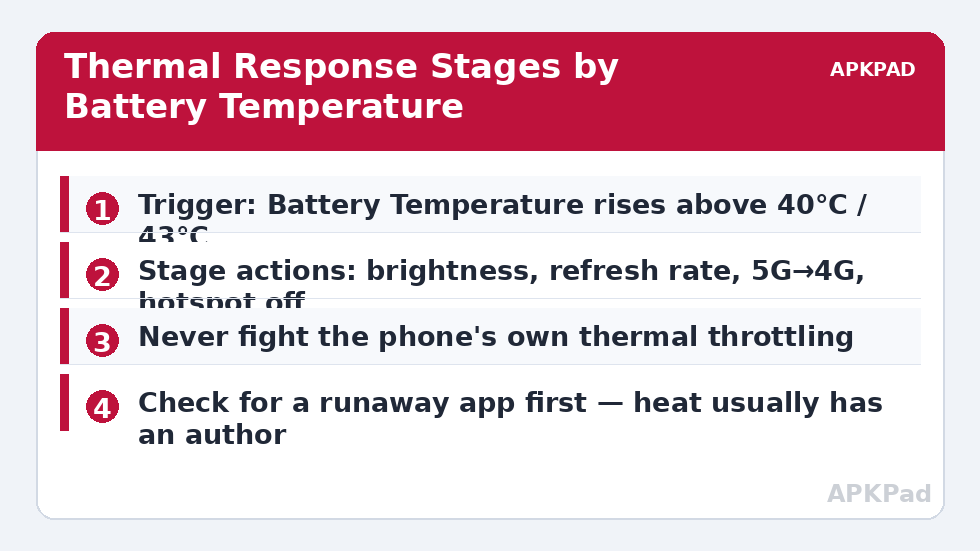
| Warm | Battery temperature ≥ 40°C | Brightness cap to 60%; refresh rate to 60 Hz (ADB permission permitting); notification “Phone warm — loads reduced” |
| Hot | Battery temperature ≥ 43°C | Above, plus: prefer 4G over 5G where the build allows; hotspot off; sync paused; voice alert if charging “Consider unplugging” |
| Recovery | Temperature falls below 38°C | Restore refresh rate and brightness mode; post “Thermal normal” notification |
The recovery stage with a lower threshold (38°, not 40°) provides hysteresis — without the gap, the phone oscillates across the boundary and your refresh rate flaps. The notification at each stage is deliberate: silent behaviour changes get automations disabled. Note what is absent: CPU throttling actions. Without root they do not exist, as detailed in our CPU throttle reality check — the thermal macro works by removing work, which is the only honest lever available.
How to read this: the estimate adds a small always-on idle cost for MacroDroid itself (about 0.4% of battery per day) to a per-class daily cost for each trigger type you use, scaled slightly by how many macros you run. These are planning estimates from that transparent model — not measurements from your phone. Use them to compare setups before you build, then confirm against the real numbers under Android Settings → Battery.
The Charging Case Deserves Its Own Rule
Charging — especially fast charging — plus heat is the combination that ages batteries fastest. A dedicated macro (Power Connected + temperature ≥ 40°C) should speak up early, because the fix is physical: unplug for ten minutes, or move the phone off the sunny dashboard. Pair this with the temperature voice warnings of our fast charger warning setup if you want a merged “charging guardian”. What the macro must never do is interrupt charging automatically on a normal phone — it lacks the switch anyway — or nag so often that you silence it; one alert per charging session, enforced with a variable flag, is the right dose.
When Heat Means Hardware
Automation has a diagnostic duty too. If the hot stage fires daily during light use, or the phone is warm every morning after an idle night, the macro is reporting a fault, not managing a condition: a degrading battery, a stuck account sync, or an app bug. Log the stage events (MacroDroid can append timestamped entries to a file) for a week and read the pattern. Thermal macros belong to the battery hacks toolkit as load-shedders for genuinely hot work — summer navigation, hotspot duty, charging in a warm car — not as a blindfold over a phone that is trying to tell you something.
Summer, Dashboards and Other Thermal Seasons
Thermal load is seasonal and situational, and the macro set should know it. The classic worst case is the summer dashboard: navigation running (GPS, screen at full brightness fighting sunlight), 5G in a fringe area, fast charging from the car, and ambient air already at 35°C before the phone adds its own heat. Every term of the equation is present, which is why phones die thermally on road trips and not on desks. For that scenario specifically, prevention beats the staged response: shade or a vent mount changes the physics more than any action in the table; charge in bursts rather than continuously; download maps on Wi-Fi before departure so the radios idle. The macro’s role shrinks to the alert and the refresh-rate step — honest tools in their proper place. Conversely, winter desk use may never cross 40°C at all, and a macro that has not fired in four months is not broken; it is insurance correctly priced. Check the log occasionally to confirm it is armed, the way you would check a smoke alarm battery, and let the seasons decide how often you hear from it.
Reading Thermal Behaviour Across Phones
Two phones on the same desk diverge thermally for structural reasons: chip binning and process node, vapour-chamber versus graphite cooling, case material and thickness, modem generation. A threshold ladder tuned on one phone transfers poorly to another — your old phone’s alarming 43°C may be your new phone’s ordinary gaming plateau, and vice versa. The transfer method that works is observational: run the new phone un-macroed for a week of your normal life, note its typical temperatures for idle, charging, navigation and play (MacroDroid can log temperature on a schedule to a file for exactly this reconnaissance), then set the warm stage a few degrees above your observed heavy-use norm and the hot stage a few above that. Numbers derived from your own device describe your device — the standing rule of this category, from the benchmark method to the charge thresholds in the 80% alert.
Cases, Skins and the Physics You Carry
The macro operates on software; your case operates on thermodynamics, and on a hot day the case wins. Thick rugged cases, wallet cases with cards against the back, and any case in direct sun materially slow heat escape — the phone’s only cooling mechanism — so two identical phones in different cases can sit 3–5°C apart under the same load. This is not an argument against protective cases; it is an argument for including the physical layer in your thermal thinking: the vent mount in the car, the case-off habit during long fast-charges at a desk, the refusal to game on a phone baking on a sunny windowsill. When the hot stage fires, its notification could honestly read “check the physical things first” — the staged actions buy time, but the phone cools at the rate its surface allows, and your hands control that surface. Treat the macro as the messenger and the tripwire, not the fire brigade.
Frequently Asked Questions
What battery temperature is actually dangerous?
Sustained temperatures above roughly 45°C accelerate battery aging noticeably, and phones will throttle and eventually warn or shut down before truly dangerous levels. Treat 40°C as “reduce load”, 43°C+ as “act now”, and a phone too hot to hold comfortably as “stop and unplug”, macro or not.
Can a macro make my phone cool down?
Indirectly: it can stop the phone generating more heat (display, radios, refresh rate, charging advice), after which the phone cools at whatever rate physics allows. It cannot refrigerate. Removing the case and leaving direct sun do more, faster.
Why does my phone heat most on 5G?
In marginal coverage a 5G modem works hard — higher transmit power, dual connectivity with 4G, more baseband processing. Dropping to 4G in the hot stage is one of the highest-value single actions, where your build exposes the toggle.
Will these macros interfere with gaming?
The warm stage caps brightness and refresh rate, which a gamer will notice. Add a constraint exempting your game sessions, or accept the trade: a throttled-by-heat game at 40 minutes performs worse than a 60 Hz game that stays cool for two hours.
Battery temperature or CPU temperature — which trigger is right?
MacroDroid’s accessible trigger is battery temperature on most devices, and that is the right one for battery health decisions anyway. CPU temperature spikes are normal and brief during any load; battery temperature integrates the phone’s real thermal state.


