A dual SIM phone is really two phones sharing a battery: each SIM registers with its own network, listens for its own pages and maintains its own signal, around the clock. Sensible dual sim battery scheduling macrodroid rules ask the obvious question — does the second line need to be awake at 2 a.m. on a Sunday? For the classic case, a work SIM in a personal phone, the answer is plainly no, and resting that line outside its real hours returns its standby cost for most of the week. The schedule must be built with unusual care, though, because a SIM is not an app: silencing it silences a phone number people may genuinely need.
Before dual sim battery scheduling macrodroid rules touch a real phone number
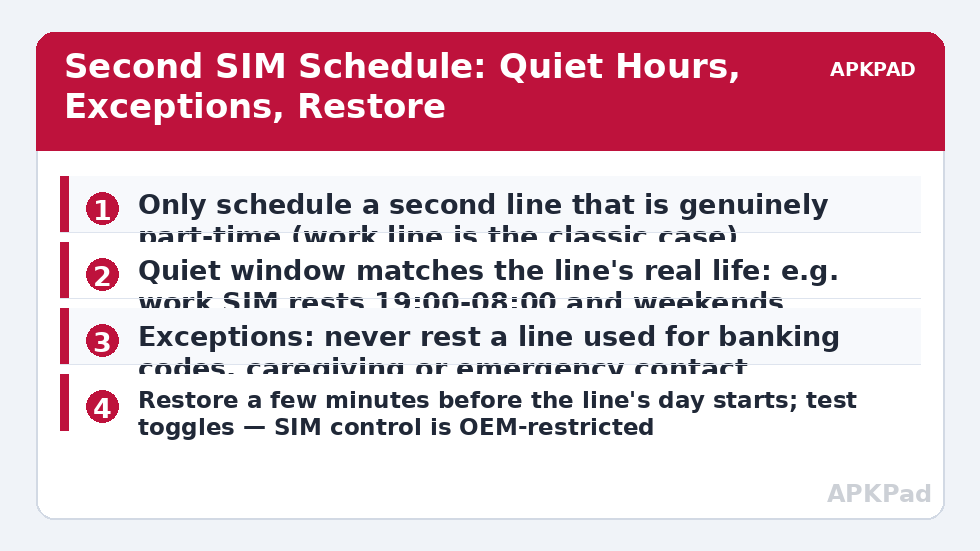
Audit the second line before scheduling it, in writing. Who has the number? What arrives on it — calls from a workplace, codes from a bank, messages from a school or a parent? Which of those would matter at night or at weekends? The schedule is only safe for a line whose honest answers are narrow: one employer, office hours, no codes, no dependants. If the audit surprises you — and it often does, because numbers drift into more services than we remember — fix the drift first: move banking and login codes to your primary number, tell key contacts the main number, and consider carrier call forwarding from the second number to the first during quiet hours, so a rested SIM does not mean a vanished caller. This audit-first habit mirrors the signal evidence work in radio rules for poor signal, because a second SIM on a weak network is often exactly where dual SIM drain hides.
Set the expectation honestly. As a typical estimate, resting a part-time second SIM outside its hours might save a few percent a day, varying by device, by both carriers’ coverage and by how weak the second network is at your home. In a home where the second carrier barely reaches, the saving can be larger, because that radio was working hardest of all; in strong coverage for both, it may be barely measurable — and if it is barely measurable, the reachability risk is not worth taking.
How to read this: the estimate adds a small always-on idle cost for MacroDroid itself (about 0.4% of battery per day) to a per-class daily cost for each trigger type you use, scaled slightly by how many macros you run. These are planning estimates from that transparent model — not measurements from your phone. Use them to compare setups before you build, then confirm against the real numbers under Android Settings → Battery.
Step by step: the work-SIM schedule
- First, test control: in MacroDroid, try the SIM-related action for your device — toggling the second SIM, or its mobile data — once, manually, and confirm the status bar and Settings agree with the result. If nothing changes, your build does not expose the control; skip to the alternatives section rather than building on sand.
- Create Second SIM Rest with a time trigger at the start of quiet hours — 19:00 in this work example — plus day-of-week logic so Friday evening starts a full weekend rest.
- Add constraints: not in a call on either line, and not while travelling — a roaming or unfamiliar-network state should suspend the schedule, because trips scramble every routine.
- Action: rest the second SIM (or, in the gentler variant, disable only its mobile data and 5G preference). Set a variable sim2_resting = on.
- Create Second SIM Wake for a few minutes before the line’s day begins — 07:55 for a 08:00 start — reversing the action and clearing the variable. Early is deliberate: registration and any queued voicemail or message notices need a moment.
- Send yourself a weekly summary notification from the wake macro on Mondays, confirming the schedule ran — silent schedules that die in an update are a recurring theme in this category.
| Line type | Schedule? | Better alternative if not |
|---|---|---|
| Work line, office hours only | Yes — the textbook case | — |
| Banking / login code line | No | Move codes to primary SIM, then reconsider |
| Family or caregiving line | No | Rest its data only; keep voice registered |
| Travel SIM used a few weeks a year | Rest fully between trips | Or remove it between trips — simplest of all |
| Second line on a very weak network | Often yes | Also review data and network-mode preferences for that SIM |
The gentler variant deserves emphasis: for many users, resting only the second SIM’s data and preferred network mode captures a fair share of the saving while the line stays registered for calls and SMS. It is the right default for any line about which you feel even slight doubt, and it composes with the per-line thinking in data rules while roaming when the second SIM is a travel line. The whole dual SIM family sits in the battery hacks collection on APKPad.
Permissions, OEM limits and the eSIM wrinkle
SIM control is among the least standardised areas of Android. Manufacturers expose different actions, carriers lock some behaviours, and an action that works on one build may vanish after an update. Toggling SIM state may need the Helper app, WRITE_SECURE_SETTINGS via ADB, or may be impossible without root on your device. eSIMs add a wrinkle: profiles can sometimes be switched with more flexibility than physical slots, but the controls are equally OEM-dependent. Treat every claim in this article as conditional on your single-action test in step one — that test is not a formality, it is the foundation. Also note that while a SIM rests, its voicemail behaviour, forwarding and missed-call notifications are carrier features, configured with the carrier, not with MacroDroid.
Coordination with your other battery rules
A dual SIM phone running several radio rules can develop rule collisions: the poor-signal macro wants the modem in one state, the SIM schedule in another, and the night routine in a third. Give each job one owner. Let the SIM schedule own the second line’s registration state, let signal rules govern data behaviour on the primary line only, and let any extreme low-battery mode override both — at 15%, saving the phone outranks every schedule. Write the priority down in each macro’s description. Five minutes of documentation prevents the 23:00 mystery where two good macros fight to a draw while the battery pays for the match.
Troubleshooting: the line that woke late or never rested
The wake macro ran but the SIM was not back for a 08:00 call. Registration after re-enabling can take a minute or two, and longer in weak coverage. Move the wake earlier — 07:45 costs nothing. The rest action silently stopped working after an update. Re-run the single-action test; OEM updates do move these controls. If the action is gone, fall back to the data-only variant or to manual scheduling through the phone’s own SIM settings, which some builds allow you to schedule natively. Callers say the number sounds ‘switched off’ at weekends. That is the schedule working as built — the question is whether your audit was honest. If weekend reachability matters after all, narrow the rest window to nights only and keep weekends registered.
The alternative when your phone will not automate SIM control
If the single-action test fails, do not abandon the idea — demote it gracefully. Most dual SIM phones expose SIM preferences in their own settings, and some builds offer their own scheduling or smart-dual-SIM features; a native schedule, where it exists, beats a macro for the same reason built-in sync windows beat hand-rolled ones. Where no schedule exists at all, a MacroDroid time-based reminder — a notification at 19:00 suggesting the work line rest, and one at 07:55 suggesting it wake — delivers most of the benefit at manual cost, and many users find the ritual acceptable for a line they only rest on weekdays. A third path is carrier-side: forwarding plus a habit of switching the line off on Friday evenings needs no automation whatsoever. The wider radio picture still applies — the resting habits in screen-off data rules govern the primary line, and the staged cuts in refresh rate step-down remain available at low battery regardless of how the SIM question resolves.
Frequently Asked Questions
How much battery does a second SIM actually use?
A second registered SIM adds standby work — its own network registration, paging and signal upkeep. As a typical estimate it is often a few percent a day, more in weak signal for that network, and it varies a lot by device and by the second carrier’s coverage where you live.
Can MacroDroid turn a SIM off and on?
On some devices a SIM or mobile-data-per-SIM action exists, sometimes needing secure settings or OEM support; on others MacroDroid cannot control SIM state at all. Test the single action on your phone first — this is one of the most build-dependent features in this category.
Will people be able to call the second number while it rests?
If the SIM is truly disabled, no — calls will go to voicemail or fail as if the phone were off, depending on the carrier. That is why this schedule only suits lines that are genuinely part-time, and why call forwarding to your main number is worth setting up first.
What about two-factor codes sent to the second number?
Treat any line that receives banking or login codes as always-on, or move those accounts to your primary number before scheduling. A rested SIM that holds your bank’s number is a lockout waiting for the worst possible moment.
Is dual standby drain worse with 5G on both SIMs?
It can be, especially where one network’s 5G coverage is weak and that radio works harder. Preferring 4G for the part-time SIM, where your build allows it, is a smaller, safer step than full scheduling for some users.