There is a small, satisfying economy in a headphone plugin trigger launch music player setup: buds in, music app open, thumb already free for the play button instead of hunting through a home screen with a bag in one hand. It is one of the oldest Android automations for a reason. The event is unambiguous, the desired result is obvious, and the delay between the two is where all the pleasure lives.
MacroDroid’s version is quick to build and easy to get subtly wrong. Launching the app is not the same as playing music, a USB-C dongle is not always reported like a 3.5 mm jack, and the macro that delights you on a walk will irritate you if it also fires when you plug in to take a work call. This guide builds the simple version first, then adds the judgement.
Decide two things before opening the app: which player, and whether you want playback to start automatically or merely be ready. Commuters who board noisy trains often want instant playback. People who plug in at a desk usually want the player open and paused, waiting for them.
Core build: headphone plugin trigger launch music player, step by step
Create a new macro called Headphones In Music. Configure the trigger exactly as named in MacroDroid, then add the launch, then, only if you want it, the playback action with a short pause between them so the player has time to initialise.
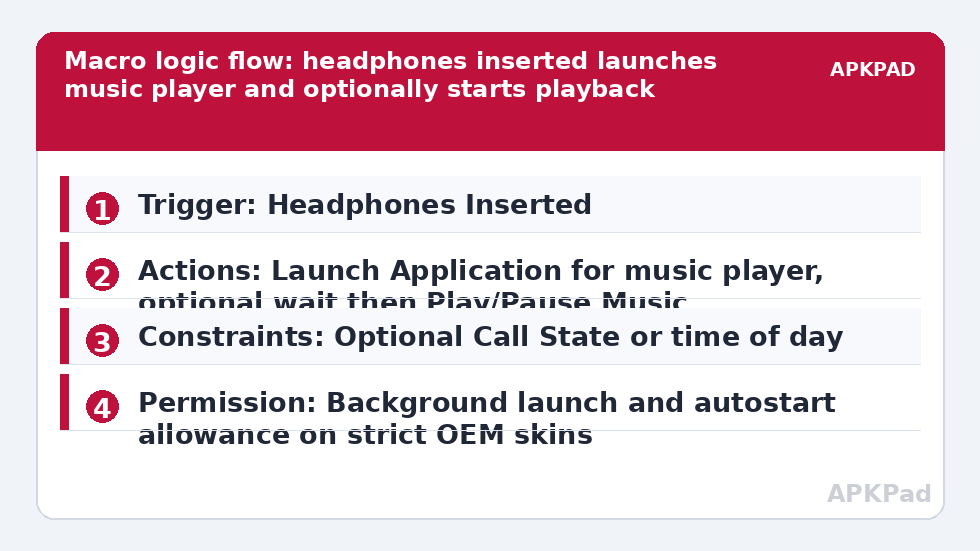
| Element | Setting in this build |
|---|---|
| Trigger | Headphones Inserted, set to any headphones or your preferred wired type |
| Actions | Launch Application for your music player; optional Wait Before Next Action of 1 to 2 seconds, followed by Play/Pause Music or the media Play action targeted at that player |
| Constraints | None for the basic build; optional constraints for Call State or time of day if plug-ins during work calls should not launch music |
- Add the Headphones Inserted trigger and leave it on the broad setting for the first test, so you learn how your specific headphones and adapter report the connection.
- Add Launch Application and select your player: Spotify, YouTube Music, a local player such as Poweramp, or whichever app holds your library.
- If you want auto-play, add a brief wait and then the Play/Pause Music action, being careful: a toggle-style action will pause music if something is already playing, so test the state handling with the player freshly closed and with it already running.
- Save, return to the home screen, and plug in. The player should come to the foreground without further taps.
Wired, USB-C and Bluetooth are three different stories
A traditional 3.5 mm plug gives the cleanest Headphones Inserted event. USB-C headphones and dongles usually work, but the reporting depends on the adapter and the phone maker, and some combinations register as a generic USB connection. Bluetooth is a separate world entirely: do not stretch this wired trigger to cover earbuds. Use MacroDroid’s Bluetooth Device Connected trigger for a named pair of earbuds instead, exactly as drivers do in automating a Bluetooth car connection to open Spotify. That distinction also lets different devices choose different apps, as covered in our Macro Triggers guides.
Permissions for this build are mercifully light. Launch Application and media playback actions need no special grant on most phones, and no root, Helper app or ADB step is involved in the core version. MacroDroid does need to be running and allowed to open activities from the background, which on stricter OEM skins means granting it the usual background and autostart allowances when Android prompts. If launches silently fail while the log shows the trigger fired, that background-launch allowance is the first setting to inspect.
How to read this: the estimate adds a small always-on idle cost for MacroDroid itself (about 0.4% of battery per day) to a per-class daily cost for each trigger type you use, scaled slightly by how many macros you run. These are planning estimates from that transparent model — not measurements from your phone. Use them to compare setups before you build, then confirm against the real numbers under Android Settings → Battery.
Adding judgement with constraints
The raw event says headphones arrived. It says nothing about whether music is appropriate. A Call State constraint prevents a launch mid-call. A time constraint can limit auto-play to commuting hours while leaving the gentler launch-only behaviour for the rest of the day, implemented as two macros rather than one overloaded rule. A location or Wi-Fi constraint can separate the gym from the office if you use the same earbuds in both places and want a workout player in one and a podcast app in the other.
Volume deserves the same thought. Many listeners add a Media Volume action set to a safe, known level between launch and playback, so a session never starts at whatever volume the last video left behind. That pairs naturally with the ideas in automating media volume lowering for quiet apps, and with gesture control from shake gesture triggers if you like physical shortcuts alongside connection-based ones.
When the trigger stops firing altogether
Intermittent failure after weeks of success rarely means your macro logic decayed. It usually means MacroDroid is no longer awake to hear the connection event, because the manufacturer’s battery saver has taken to killing MacroDroid in the background. That is the leading cause of failure for this and most connection triggers. The fix is unglamorous and permanent: exclude MacroDroid from battery optimisation, set it to Unrestricted battery use, and on Samsung, Xiaomi, Oppo and Vivo handsets enable autostart or lock it in the recents screen. Reboot once after changing those settings and plug in again; a connection trigger is the easiest of all macros to retest honestly.
Also rule out the physical layer before rebuilding anything. Lint in a jack, a failing dongle, or a case that prevents a plug seating fully can all produce a connection Android never registers. The MacroDroid log separates these worlds cleanly: no trigger entry means the phone never saw the event, while a trigger entry with no launch points at the action or a background permission.
Variants worth trying once the basics hold
- Launch a podcast app for a named work headset and a music player for your personal earbuds.
- Pair the launch with a spoken announcement of the time or next calendar event for a morning walk.
- Add a companion removal macro that pauses playback when headphones are disconnected, so music never blasts from the speaker.
That last variant is more than politeness on a quiet train. A pause-on-disconnect rule is the safety net that makes auto-play on connect feel responsible rather than reckless, and together the pair turn a simple plug into a complete, considered listening routine.
Frequently Asked Questions
Will the music player open every time I plug in headphones, even for a call?
The basic macro launches the player on every qualifying plug-in event. If that annoys you, add a constraint for time of day, location, or call state, or split your setup so wired headphones launch music while a specific Bluetooth device follows the car or work routine you prefer.
What is the difference between wired and Bluetooth headphone triggers?
Wired connections use the Headphones Inserted trigger, which fires from the jack or USB-C audio connection. Bluetooth audio devices are better handled with the Bluetooth Device Connected trigger, naming the specific earbuds or headset, so other Bluetooth connections do not launch your player.
Why does the player launch but nothing starts playing?
Launching and playing are separate actions. Add a Play/Pause Music or media play action after Launch Application, with a short wait so the player is in the foreground and ready. Some players also need their own setting to resume playback or respond to media buttons enabled.
My USB-C headphones sometimes do not trigger the macro. Why?
USB-C audio can report its connection differently depending on the adapter, dongle DAC and OEM skin. Test with the exact adapter you use daily, check the MacroDroid log for whether Headphones Inserted fired at all, and if your device reports it as a USB event instead, build a variant using that connection event.
Can I make different headphones launch different apps?
Yes. Create separate macros with constraints or Bluetooth triggers naming each device: one pair of earbuds launches your music player, a work headset launches a podcast or calls app. Keep the app choice in the macro name so the behaviour is obvious months later.