Reading apps, language-learning apps, banking apps with spoken prompts, a baby monitor — some apps should never open at full blast. Yet media volume on Android is a single shared slider, so the level that suited a video on the train is the level your e-reader’s page sound or a meditation app’s opening chime inherits an hour later in a quiet room. If you want to automate media volume lowering quiet apps behaviour, the fix is not remembering to lower the volume before you tap the icon. It is a MacroDroid macro that notices which app just opened and sets a sensible level for that app, every time, and ideally restores something reasonable when you leave it.
Think of this as per-app volume memory that Android does not provide natively. You pick the apps that live in quiet contexts — a reader, a journal, a study app, a prayer or meditation app, a children’s story app used at bedtime — and you assign each one a ceiling. The macro does not mute you completely, because a video inside a reading app or a pronunciation clip inside a language app still needs to be audible. It brings the level down to a modest, pre-chosen value so the first sound is never a shock to you or anyone sitting near you.
Choosing your level: automate media volume lowering quiet apps properly
MacroDroid’s Application Launched trigger is the heart of this setup, and its Volume Change action does the lowering. Android reports media volume as steps rather than a smooth percentage — many phones have fifteen steps — and MacroDroid lets you set a specific level or a percentage depending on your version. Pick a concrete value by experiment, not by guessing a percentage from a screenshot. Open your quietest app, play its typical sound, and lower the volume with the hardware buttons until it is comfortable in a silent room. Note that step number. That is your target, and it will usually be lower than you first assume, because rooms at night are much quieter than the daytime kitchen where most people configure their phones.
| Component | MacroDroid setting |
|---|---|
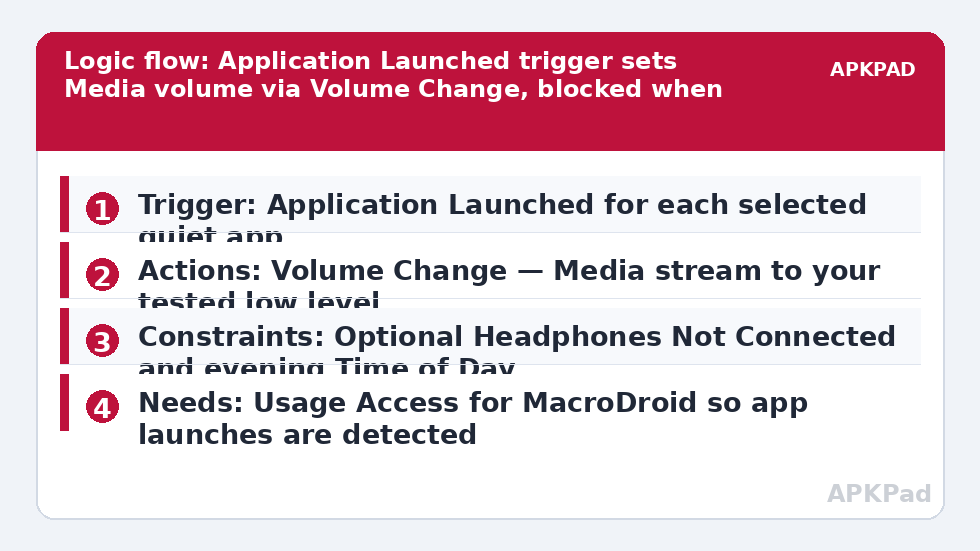
| Trigger | Application Launched — select your quiet apps; companion macro uses Application Closed for the same apps if you want restore behaviour |
| Actions | Volume Change — set Media volume to your chosen low level; optional second Volume Change if you restore a normal level on app close |
| Constraints | Optional: Headphones Not Connected, or Time of Day evening only; optional Speakerphone / Bluetooth state constraint |
Notice the constraint logic. When headphones are plugged in or a Bluetooth speaker is connected, your quiet-app problem changes completely: the sound is either private to your ears or deliberately being played out loud in another context. Most users should skip lowering when audio is going to headphones, because the volume that is gentle through a phone speaker can be inaudible through earbuds, and vice versa.
How to read this: the estimate adds a small always-on idle cost for MacroDroid itself (about 0.4% of battery per day) to a per-class daily cost for each trigger type you use, scaled slightly by how many macros you run. These are planning estimates from that transparent model — not measurements from your phone. Use them to compare setups before you build, then confirm against the real numbers under Android Settings → Battery.
One macro per app, or one macro for all quiet apps?
Application Launched can watch several apps in one macro, which tempts people to add every quiet app to a single rule with a single low level. That works if all those apps want roughly the same level. In practice they rarely do. A meditation app might want a soft but present level for spoken guidance, a reader might want the lowest step above mute for the occasional embedded clip, and a children’s bedtime app might sit between the two. Splitting into one macro per app, or per small group of similar apps, costs you a few minutes of setup and buys you levels that actually fit. Name each macro after the app and level, such as Reader Volume 3, so that in six months you can see at a glance what you intended.
Permissions for this macro are modest. Application Launched relies on usage access, so MacroDroid will ask you to grant Usage Access in Android settings when you build the trigger; without it, MacroDroid cannot reliably see which app came to the foreground. Volume Change needs no special grant on most devices, though Do Not Disturb access is a separate permission that is only relevant if you start changing ringer or DND behaviour, which this macro deliberately does not. No root, device admin, or Helper app is normally needed for either the trigger or the volume action itself.
Building the lowering macro, and the restore question
- Add a macro, choose the Application Launched trigger, and select one quiet app for your first build.
- Grant Usage Access when MacroDroid prompts you, from the settings screen it opens.
- Add the Volume Change action, choose the Media stream, and set the level you found by experiment.
- Save the macro, leave MacroDroid, set your media volume high, and open the quiet app. Confirm the level drops before any sound plays.
- Repeat the test with headphones connected if you added a headphones constraint, and confirm the level now stays where it was.
Now decide about restoring. A companion Application Closed macro that raises media volume back to a normal level sounds tidy, but it has a sharp edge: app switching. If you dip out of your reader to check a message and come straight back, a restore-then-lower cycle fires twice for no benefit, and if you open a video app straight after the reader, you may actually want the restored level or a different one entirely. Many users find the cleanest system is one-way lowering for quiet apps plus a separate rule for loud contexts — exactly what the video-app orientation and volume setups do from the other direction. If you do build a restore macro, restore to a moderate middle level, never to maximum.
Failure modes, and the battery problem again
When this macro seems to fail, first check whether Application Launched fired at all; watching the volume panel as you open the app will tell you. If the trigger never fires after the phone has been idle, the prime suspect is the number one reason these macros fail: OEM battery management killing MacroDroid in the background. Exclude MacroDroid from battery optimization, set it to Unrestricted, enable OEM autostart settings where your phone offers them, and retest after a long idle stretch. If the trigger fires but the volume does not move, check that you changed the Media stream and not Ringtone or Alarm, an easy slip in the Volume Change dialog where the streams are listed together. Some games and Bluetooth devices also impose their own volume behaviour, which is Android’s shared volume model rather than MacroDroid misbehaving.
Refinements for evenings, headphones, and shared phones
A time constraint makes this macro gentler. If your reader is fine at normal volume during the day and only a problem after the household goes to sleep, restrict the lowering macro to evening hours rather than fighting it at lunchtime. On a phone shared with a partner or child, consider keeping levels conservative — the cost of slightly quiet media is trivial compared with a full-volume sound waking a sleeping baby. For a broader set of app-launch automations, see the other builds in the Macro Triggers section, especially voice alerts when charging stops for an example of an audio action used considerately, and priority-contact sound triggers if your real annoyance is notification noise rather than media. Thoughtful volume control is usually a small set of narrow rules, not one grand rule that tries to govern every sound the phone makes.
Frequently Asked Questions
Will this lower my ringtone or alarm volume too?
No, if you set the Volume Change action to the Media stream only. Android keeps Media, Ringtone, Alarm, and Notification volumes separate. Double-check the stream in the action dialog, because changing the wrong stream is the most common setup mistake with this macro.
Why does MacroDroid ask for Usage Access for this macro?
The Application Launched trigger needs to know which app has come to the foreground, and Android gates that information behind Usage Access. Grant it to MacroDroid in the settings screen it opens when you build the trigger, or app-launch triggers will be unreliable or silent.
Should I restore normal volume when the quiet app closes?
Only if rapid app switching does not annoy you. A restore macro using Application Closed can cause pointless lower-restore cycles when you dip out briefly. Many users prefer one-way lowering for quiet apps and a separate rule for apps that want a higher level.
Why did the volume lowering stop working after a few days?
Usually because OEM battery management killed MacroDroid in the background, which stops it seeing app launches. Exclude MacroDroid from battery optimization, enable OEM autostart where offered, and check that Usage Access has not been revoked by a system update.
Can different quiet apps have different volume levels?
Yes. Build one macro per app, or per group of apps that suit the same level, each with its own Application Launched trigger and its own Volume Change value. Name each macro after its app and level so the setup stays readable later.