
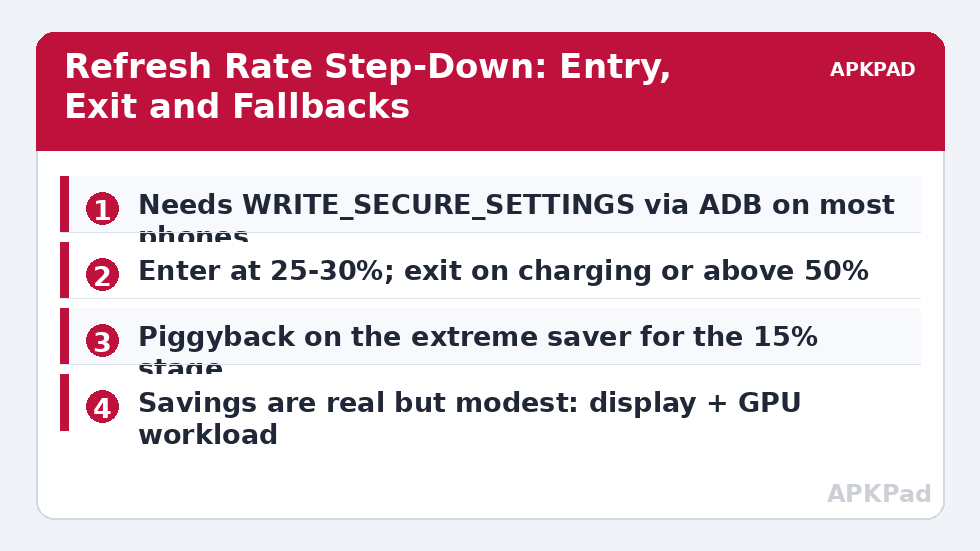
A 120 Hz display renders twice as many frames as a 60 Hz one, and while modern panels and adaptive refresh have narrowed the cost, high refresh still taxes the GPU and the display pipeline on every scroll. The decision to automate screen refresh rate drop low battery is a rationing decision: smoothness is the first luxury to surrender when energy gets scarce. Before building anything, the gate: on most phones MacroDroid can only change refresh rate with WRITE_SECURE_SETTINGS granted over ADB (setting names vary — commonly peak_refresh_rate / min_refresh_rate style keys), with the MacroDroid Helper on some builds, or not at all. If your phone resists, its built-in Battery Saver usually drops refresh automatically — in which case the honest answer is to let the extreme saver macro enable Battery Saver and skip the manual setting entirely.
What the Saving Actually Is
Keep the claim sized correctly. In mixed use, 120 Hz versus 60 Hz typically costs on the order of a few percent of a full charge across a day — noticeable in a rationing situation, not transformative in daily life, and smaller on LTPO panels that already adapt aggressively. The saving grows in scrolling-heavy use (feeds, web, maps) and shrinks to nearly nothing on static screens, where the panel was idling at low rates anyway. This is a “squeeze the last hour” tool: at 25% battery, trading smoothness for perhaps 20–40 extra minutes of use is a good deal; at 80%, it is a pointless austerity — which is why the macro is threshold-based rather than permanent.
The Step-Down Macro Pair
| Element | Step Down | Restore |
|---|---|---|
| Trigger | Battery Level = 25% (choose 20–30%) | Power Connected, or Battery Level rises above 50% |
| Actions | Set refresh rate to 60 Hz via the secure-settings action; post a notification “Refresh rate reduced to save battery” | Restore refresh rate to your normal maximum or adaptive setting |
| Constraints | Not charging; not gaming (optional game-package exclusion) | None |
The notification is not decoration. A phone that suddenly feels less smooth reads as “my phone is dying” to most users; one that announces “I reduced refresh to save battery, it returns when you charge” reads as a feature. The gaming exclusion is a judgement call: gamers feel 60 Hz most, but gaming is also the load you can least afford at 25% — many users keep the drop universal and let the threshold be the compromise. The pair merges cleanly into the staged system in the battery hacks collection, sitting between normal operation and the 15% extreme stage.
How to read this: the estimate adds a small always-on idle cost for MacroDroid itself (about 0.4% of battery per day) to a per-class daily cost for each trigger type you use, scaled slightly by how many macros you run. These are planning estimates from that transparent model — not measurements from your phone. Use them to compare setups before you build, then confirm against the real numbers under Android Settings → Battery.
Granting the Permission (Once, Carefully)
The ADB route is a one-time, cable-and-computer operation: enable Developer Options and USB debugging, connect, and grant MacroDroid the WRITE_SECURE_SETTINGS permission with the adb shell pm grant command shown in MacroDroid’s own permission helper screens (follow the in-app guidance for your version — the command names the app’s package). It survives reboots; it can be revoked by uninstalling or by some major OS updates. Two cautions: only ever run grant commands for apps you trust — the permission lets an app change system settings — and expect the refresh setting key names to differ by OEM, which is why the macro should be tested with a manual run: change it, open a scrolling app, confirm the smoothness difference, restore it. If nothing visibly changes, your build stores refresh elsewhere and the action is a no-op — remove it rather than believing in it.
Adaptive Refresh: The Third Option
If your phone offers an adaptive/auto refresh mode, it is arguably the correct permanent setting — high rates while touching and scrolling, low rates on static content — and the macro becomes a belt-and-braces addition for the low-battery stage only. In that configuration, the step-down macro sets a hard 60 Hz ceiling at 25%, and restore returns to adaptive rather than to a fixed 120 Hz. This respects how the hardware was designed to be used and confines your automation to the one regime (scarcity) where your judgement beats the manufacturer’s defaults.
Finding Your Phone’s Real Refresh Cost
The ranges in the main text are population averages; your phone’s number is measurable in an afternoon with the controlled screen-on test from our benchmark guide. Protocol: charge to 100%, pick a downloaded video or a long article you can scroll on a loop, fix brightness at your typical indoor level, and run one hour at full refresh — note the drop. Repeat on another day locked to 60 Hz. The two numbers bracket your personal refresh tax, unpolluted by signal, sync or usage differences. Users of LTPO flagships often find a gap so small the macro is hardly worth its restore logic; users of fixed-rate 120 Hz mid-rangers sometimes find the opposite. Either result is a good outcome: the first saves you maintaining a pointless macro, the second justifies it with evidence. File the numbers; they also calibrate the threshold choice — a phone with a heavy refresh tax earns an earlier step-down (30%), a light one a later one (20%).
How the Step-Down Composes With Your Other Profiles
Refresh control appears in three places in a complete system: here as a scarcity measure, in the thermal stages as a heat measure, and implicitly in Battery Saver. Unmanaged, three writers to one setting produce the classic conflict: the thermal macro restores 120 Hz on cool-down while the battery is at 18% and the saver is trying to ration. The cure is a single owner: consolidate refresh writes into one “display profile” macro that reads state variables (battery_low, thermal_hot) set by the others and computes the rate — 60 if either flag is set, normal only when both are clear. It is ten extra minutes of architecture that converts three competing macros into one legible policy, and it generalises: any setting touched by more than one profile in your setup deserves the same single-owner treatment before the conflicts, not after.
Per-App Refresh: The Granular Alternative
Some OEM skins (and a few third-party tools riding the same secure settings) allow refresh behaviour to vary by app — games pinned high, readers pinned low. Where your phone offers per-app rates, they compose with this article’s threshold macro in a specific way: let per-app rules express taste (which apps deserve smoothness) and reserve the macro for scarcity (the global ceiling that descends at 25% regardless of taste). Implementation detail: ensure the restore macro returns the ceiling to “unrestricted” rather than forcing a global rate, so the per-app system resumes governing — restore-to-system, not restore-to-value, is the polite pattern wherever your macro temporarily overrules a smarter subsystem. Users without per-app controls lose little: the global step-down was always the load-bearing idea, and granularity is refinement, not substance.
Frequently Asked Questions
Why does nothing happen when my macro runs the refresh action?
Most likely the WRITE_SECURE_SETTINGS grant is missing, or your OEM stores refresh rate under a different setting key that the action does not reach. Grant the permission via ADB, then test the action manually with a visible scroll test. If it still does nothing, use Battery Saver’s built-in refresh reduction instead.
How much battery does dropping to 60 Hz actually save?
Typically a few percent of a full charge across a day of mixed use, more in scrolling-heavy use, and near zero on static screens or efficient LTPO panels. Its value is concentrated at low battery, where it can stretch the remaining charge by a meaningful margin of minutes.
Is it safe to grant WRITE_SECURE_SETTINGS?
It is a powerful permission — the app can modify system settings — so grant it only to apps you trust, from the official MacroDroid listing. It does not give root, it can be revoked, and MacroDroid requests it precisely for settings like this one.
Should I just run 60 Hz all the time?
If you cannot see or do not care about the difference, honestly, yes — a permanent 60 Hz is simpler than any automation. The macro exists for users who love 120 Hz at high battery and want the saving only under scarcity.
Does the restore macro need the same permission?
Yes — writing the setting back to your normal rate is the same kind of write. If the grant disappears after an OS update, both directions stop working together; re-grant once and both recover.


