
Every location-based macro pays for its knowledge somehow, and the location trigger battery cell tower vs gps choice is the largest single cost decision in most people’s MacroDroid setups. The two methods differ by orders of magnitude in energy and in accuracy, and choosing wrongly in either direction hurts: GPS polling for a job that cell towers could do wastes percent per day; cell towers for a job needing real precision produces a macro that fires in the wrong street and gets deleted.
How Each Method Actually Works
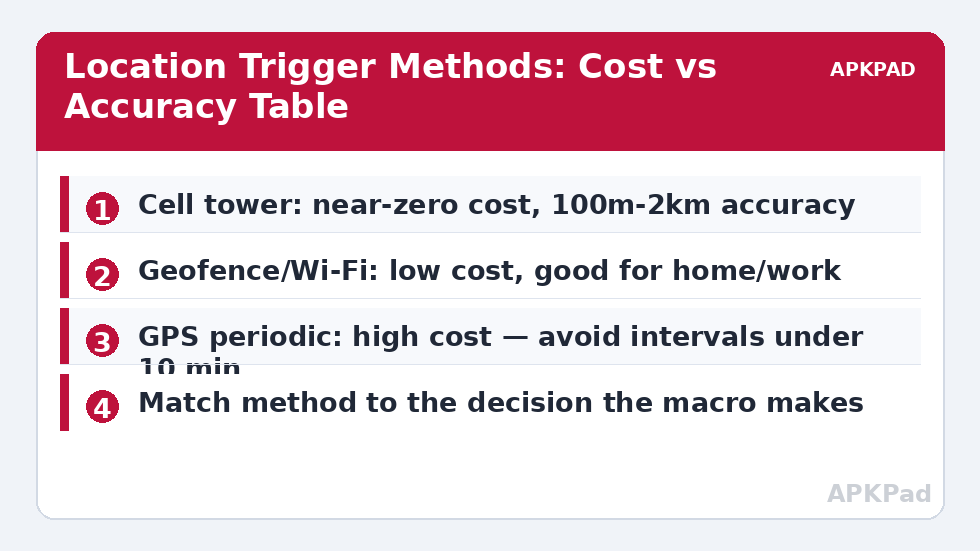
Cell tower triggers watch which tower IDs the modem is already connected to. The phone maintains this information to function as a phone; MacroDroid simply notices changes. Marginal cost: effectively zero. Accuracy: the size of a cell — a few hundred metres in a dense city, several kilometres in rural areas. Wi-Fi-based location (including MacroDroid’s SSID triggers and Android’s geofencing) uses nearby network names and the system’s fused location — cheap, because Wi-Fi scans already happen, and accurate to a building. GPS triggers power the GNSS radio and compute real fixes at your configured interval; accuracy is metres, and the cost is the highest of any common trigger — a 1-minute GPS interval can consume several percent per day by itself, as the polling discussion in reducing sensor polling explains in the general case.
The Comparison Table
| Method | Marginal Battery Cost | Typical Accuracy | Best For |
|---|---|---|---|
| Cell tower ID | ~0% | 300 m – 3 km | Home/away modes, Wi-Fi toggling by neighbourhood, coarse presence |
| Wi-Fi SSID connected/near | Very low | One building | “At home” and “at work” precision triggers |
| Geofence (system fused) | Low — batched by the OS | 50–150 m | Arrive/leave alerts, smart-home arming |
| GPS, long interval (15–30 min) | Moderate | 5–20 m | Trips, infrequent precise checks |
| GPS, short interval (1–2 min) | High (multiple % per day) | 5–10 m | Almost nothing justifies this outside active tracking |
How to read this: the estimate adds a small always-on idle cost for MacroDroid itself (about 0.4% of battery per day) to a per-class daily cost for each trigger type you use, scaled slightly by how many macros you run. These are planning estimates from that transparent model — not measurements from your phone. Use them to compare setups before you build, then confirm against the real numbers under Android Settings → Battery.
Choosing Per Use Case: Location Trigger Battery Costs
Work backwards from the decision. “Turn Wi-Fi on when I am near home” — the decision tolerates a kilometre of slop, so cell tower or SSID wins; indeed the classic MacroDroid pattern for Wi-Fi auto-toggle uses cell towers learned at home precisely because it is free. “Log my arrival time at the office” — a geofence is the honest tool. “Remind me when I pass the shop” — a small geofence again; GPS polling would burn battery all day for a 30-second window of relevance. “Track my run” — that is not a trigger problem at all; a fitness app owns it, and MacroDroid’s role is limited to starting/stopping states, as in the GPS gating pattern of disabling GPS for non-navigation apps.
The Hybrid Pattern Professionals Use
Combine methods in stages. A cheap trigger (cell tower enters your home cluster) arms an expensive one (a geofence or a short burst of GPS checks) only in the region where precision matters. Outside the cluster, the expensive machinery never runs. MacroDroid implements this with a variable: the cell macro sets “near_home = true”; the precise macro carries “near_home is true” as a constraint. This two-stage design pattern — coarse and free on the outside, precise and costly only on the inside — is the single most transferable idea in location automation, and it is how the system-level fused location provider itself is architected. Build your battery hacks on it and location triggers stop appearing in your battery stats altogether.
Learning Your Towers Properly
Cell-tower triggers fail in one boring way: an incomplete learned set. Your phone at home may rotate among three or four towers by load, weather and which room you are in — learn only the tower visible on setup day and the “home” state flickers whenever the network hands you to a neighbour. Do it properly: park the phone in its usual spots over two or three days, opening MacroDroid’s cell-tower trigger configuration in each place you spend real time — bedside, desk, sofa — and add every tower that appears. Then watch the trigger’s behaviour for a week before building anything load-bearing on it; the goal is a set where “in the set” and “at home” agree so reliably that you forget the mechanism exists. Tower sets also age: carriers reconfigure, a new small cell appears, and a trigger that was perfect for a year starts missing evenings. A twice-yearly relearn, or whenever behaviour slips, keeps the cheapest trigger in this article worth using — maintenance, again, being the unglamorous tax on every automation in the battery hacks system.
Privacy Is Part of the Comparison
Method choice is not only an energy decision. Continuous GPS logging — even purely local logging — creates a precise record of your movements that lives on the device, appears in exports, and can be demanded, leaked or simply synced somewhere you forgot you configured. Cell-tower and geofence triggers, by contrast, remember almost nothing: a state (home/away) and transitions, not a track. For most home-automation purposes the coarse method is not merely cheaper; it is the proportionate one, collecting the minimum information the decision requires. When an app or a tutorial reaches for fine location by default, the correct first question is what decision needs metres rather than neighbourhoods — the same question that priced the energy, now asked about your life. The answers usually agree, which is convenient: the cheap method, the private method and the adequate method are most often the same method.
Testing a Location Trigger Before Trusting It
Location triggers fail socially before they fail technically: the Wi-Fi that did not turn on, the “I’m home” routine that fired at the office. Earn trust in stages. Week one, make the trigger write to the log (or a notification only you see) instead of acting: “would have enabled home mode, tower set A, 18:42”. Compare the log against your actual movements for several days, including the odd routes — the school run, the other office, the gym. Boundary errors declare themselves in the log without costing you a single mis-fired action. Only then connect the actions, starting with the reversible ones (Wi-Fi, sync, volume) before anything stateful or visible to others (messages to family, smart-home arming). This shadow-mode discipline is borrowed from how professionals deploy any automation that touches the physical world, and it converts the inevitable first-week tuning from a series of small embarrassments into a series of log lines.
Frequently Asked Questions
Why did my GPS trigger drain 5% overnight?
Because a short-interval GPS trigger never sleeps: the GNSS radio and CPU wake for every fix, and indoors — where fixes fail and retry — it is worse. Lengthen the interval beyond 10 minutes, constrain it to waking hours, or replace it with a geofence.
Are cell tower triggers reliable in rural areas?
They are reliable but coarse: one rural tower can cover your home, your workplace and the road between. Learn all towers you connect to at the location over a few days (MacroDroid’s cell-tower trigger supports groups), and accept kilometre-scale accuracy.
What is a geofence trigger’s battery cost in practice?
Low. Android’s geofencing is handled by the system’s fused location provider with batched, mostly network-based positioning, escalating to GPS only near boundaries. A handful of geofences typically costs well under 1% per day.
My home cell tower changes between two towers. The macro flaps. Fix?
Add both towers to the trigger’s learned set, and add hysteresis on the action side: when the “away” macro runs, require the away state to persist for a few minutes (a Wait plus re-check) before acting. Boundary flapping is normal radio behaviour, not a bug.
Does turning off GPS entirely break cell tower triggers?
No. Cell identity comes from the modem’s network registration, not from GPS. Cell tower triggers keep working with location services off — one more reason they are the battery-friendly default.


