A geofence that worked for a year stopped firing the week your phone updated, and the macro itself has not changed. To fix location triggers not firing android 14 15 setups you need to look at what those versions changed around background location, precise location and battery accounting, because the trigger is usually starved of updates rather than broken.
Location triggers fail differently from other triggers. A time trigger either fires or the app is dead. A location trigger needs a chain to survive: location permission in its strongest form, location services on, an update actually delivered to MacroDroid while the screen is off, and a geofence radius large enough for the accuracy the phone is willing to provide in the background. Break any link and the macro looks ignored.
Start With the Chain, Not the Geofence
Test the chain in order, indoors if you like, before you redraw any fence.
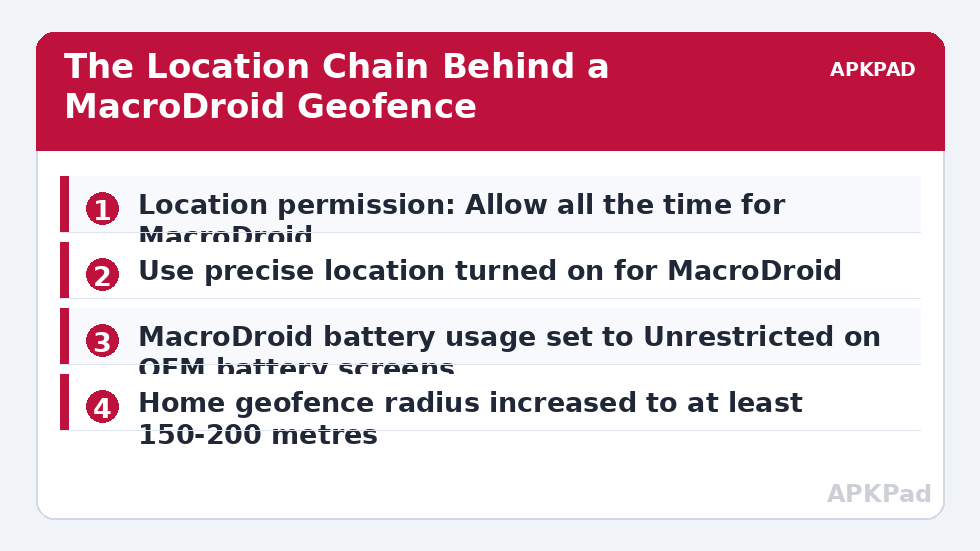
- Permission form. Settings > Apps > MacroDroid > Permissions > Location must be Allow all the time, not Allow only while using the app. Android 14 and 15 are stricter about demoting this, and a trigger that needs background updates cannot work on a while-in-use grant.
- Precision. On the same permission screen, turn on Use precise location. Approximate location snaps your position to a coarse area, which can keep a small home geofence from ever registering an entry.
- System location. Settings > Location must be on, and if your phone offers Wi-Fi scanning and Bluetooth scanning under Location services, leave both on. They materially improve indoor and urban fixes without using GPS continuously.
- Battery treatment. MacroDroid must be Unrestricted, covered below, or the system will batch location delivery until the trigger is useless.
If any of the first three is wrong, fix it and stop there for one test cycle before redrawing any fence.
Fix Location Triggers Not Firing Android 14 15 Permission Changes
Android 14 tightened how apps keep background location and made permission auto-reset more visible, and Android 15 continued the pattern of treating long-idle background access as something to justify. Two consequences matter for MacroDroid users.
First, if you rarely open MacroDroid’s interface because your macros just run, the system can treat the app as unused and revoke sensitive permissions. Open Settings > Apps > MacroDroid > Permissions and look for the auto-reset or pause-app-activity control, wording varies, and turn off pausing for this app if your version shows it. Second, a permission granted long ago may now be in a reduced state after an upgrade. Do not assume the values you set on Android 13 survived. Read the current values on screen for location permission, precise location, notification permission and battery usage, and correct each one you actually find wrong.
Per-OEM battery and autostart paths for location
- MIUI / HyperOS: Settings > Apps > Manage apps > MacroDroid > Autostart on; Battery saver set to No restrictions. Also open Settings > Privacy protection > Location and confirm MacroDroid is allowed high-accuracy access if your version lists apps there.
- Samsung One UI: Settings > Apps > MacroDroid > Battery > Unrestricted, and Settings > Battery > Background usage limits > Never sleeping apps > add MacroDroid. A sleeping app receives location in batches, which reads as a missed fence.
- ColorOS: Settings > Apps > App management > MacroDroid > Battery usage > Allow background activity and Allow auto launch; then Settings > Battery > More battery settings > Optimise battery use > MacroDroid > Don’t optimise.
- Pixel: Settings > Apps > See all apps > MacroDroid > App battery usage > Unrestricted, and check Settings > Location > Location services > Google Location Accuracy is on if you use it, since it improves the fixes MacroDroid receives.
If your trigger depends on cell or Wi-Fi context rather than a fence, compare this with the guide to cell tower triggers not updating without GPS, because the update source and its failure mode are different.
How to read this: the estimate adds a small always-on idle cost for MacroDroid itself (about 0.4% of battery per day) to a per-class daily cost for each trigger type you use, scaled slightly by how many macros you run. These are planning estimates from that transparent model — not measurements from your phone. Use them to compare setups before you build, then confirm against the real numbers under Android Settings → Battery.
Fix the Fence Itself: Radius, Method and Expectations
Once permission and battery are right, the remaining cause is usually geometry. A 50-metre radius around a flat in a dense block is smaller than the error circle the phone reports from the background, so the device can be inside in reality and outside on paper for every sample. Increase the radius to at least 150-200 metres for a home fence and test again before concluding anything. Larger is not laziness here; it is matching the fence to the accuracy the system actually delivers when the screen is off.
Inside MacroDroid, open the location trigger’s configuration and review the update and checking options your version presents. A trigger configured to rely on infrequent passive updates will be late in exactly the way users describe as not firing. Prefer the setting that requests active updates at a sensible interval for an entry or exit fence, and accept the modest battery cost, or use a hybrid design: a coarse, generous fence or a Wi-Fi connected trigger as the wake-up, followed by a location condition that confirms you are truly home. That pattern is also kinder to battery than polling GPS tightly all day.
Also read the full macro’s constraints: a surprising share of cases end at a forgotten constraint. Other diagnostics are listed on the Fixes & Errors index.
Verify With a Walk, a Log and a Timestamp
Verification must leave the building. Set a test macro on the same fence with two unmistakable actions: write to the System Log and vibrate or speak. Put the phone in your pocket, lock it, walk well beyond the radius, stay out for several minutes, then return. Afterwards open MacroDroid > System Log and compare the entry timestamp with the time you actually crossed the boundary. A delay of a few minutes in the background is normal batching on many builds; no entry at all is a failed chain, and a very late entry points back to battery batching or too-infrequent updates.
Repeat the walk with Battery Saver off if it was on. If the fence fires on the walk but not on your commute, look at the route: tunnels and large steel buildings destroy fix quality, and the answer is a bigger radius or a Wi-Fi confirmation, not more GPS polling. The guide on Wi-Fi toggle actions blocked on newer Android matters if your hybrid design toggles radios.
When This Fix Won’t Work
Some limits are physical and contractual, not settings. Approximate-only location, which some users must keep for work-profile reasons, cannot support a small precise fence. Underground or indoor locations with no useful satellite, Wi-Fi or cell fix cannot be geofenced reliably by any app. And if a device policy requires location services off, MacroDroid cannot invent a position. In those cases redesign the automation around a signal the phone does receive reliably, such as connecting to home Wi-Fi, a Bluetooth device in the car, or an NFC tag by the door, and use location only as a secondary condition.
Frequently Asked Questions
Why did my location triggers stop after updating to Android 14 or 15?
The update likely changed the state of something in the chain: background location reduced to while-in-use, precise location switched off, permission auto-reset applied to an app whose interface is rarely opened, or battery treatment returned to optimised. Read the current values for each of those settings rather than assuming your older choices survived, correct them, then test with a walk.
What radius should I use for a home geofence?
Start with 150 to 200 metres for a home in a built-up area, and larger for rural locations where fixes rely on distant masts. A very small radius is the most common self-inflicted cause of missed entries because the background accuracy circle can be wider than the fence itself. Increase the radius first and only refine it once entries are firing reliably.
Does MacroDroid need location permission set to Allow all the time?
Yes, for a location trigger that must work while the app is in the background and the screen is off. Allow only while using the app starves the trigger of updates exactly when you are arriving or leaving. Pair Allow all the time with Use precise location, otherwise the system may only provide a coarse position.
Why does the trigger fire late rather than not at all?
Late firing usually means location updates are being batched by battery optimisation or Battery Saver, or the trigger is relying on infrequent passive updates. Set MacroDroid to Unrestricted on your OEM’s battery screen, test with Battery Saver off, and review the trigger’s update interval in MacroDroid so it requests updates actively enough for an entry or exit fence.
Can I use Wi-Fi instead of a geofence for arriving home?
Often yes, and it can be more reliable indoors. Use a Wi-Fi connected trigger for your home network as the primary arrival signal, optionally with a location condition to confirm the area. That design avoids GPS accuracy problems in flats and dense streets, at the cost of firing when the phone joins the network rather than when you cross a boundary.