The macro worked on Tuesday. On Wednesday the counter is back at zero, the phone has forgotten it already announced the morning summary, and the flag that prevents your evening routine running twice is empty again. Learning to fix variables losing values macrodroid state starts with a classification, because “the value vanished” has three very different causes — the value was never stored where you think it was, something overwrote it, or the process holding it died — and each one laughs at the others’ fixes.
Reproduce small. Create a global variable, set it to a distinctive value from a manually run test macro, and read it back in the System Log. Close MacroDroid, reopen it, and read again. Restart the phone and read a third time. Note exactly where in that sequence the value changes, because that boundary is your diagnosis: loss on macro end points at scope, loss on edit points at defaults, loss on restart points at storage or process behaviour. Skipping this five-minute experiment is how people spend a weekend adding file writes to a macro whose only fault was a local variable.
Where Variable Values Actually Go
These causes are ordered by how often they explain a “lost” value. The first two are design misunderstandings, not faults, which is why they are so persistent.
- Local scope asked to remember: a local variable holds a value for its macro’s logic, but state that must persist across runs and across macros belongs in a global variable.
- Default value re-applied on edit: restructuring a macro, recreating a variable, or certain edit flows restore the declared default and quietly discard the live value.
- Another macro overwrote it: a second macro writes the same global — often a well-meaning reset at boot or a shared template — and the “loss” is actually an unwanted write.
- The process died mid-sequence: a value set in memory during a long macro run is lost when the OEM battery manager kills MacroDroid before the run finishes or before state is committed.
- Data-level events: clearing app data, restoring a backup, or migrating phones resets variable state along with everything else in the app’s storage.
Fix Variables Losing Values by Storing State Properly
The fixes move from choosing the right kind of variable, to stopping other things overwriting it, to giving truly important state a home outside the app’s process altogether.
Step 1: Put Persistent State in Global Variables
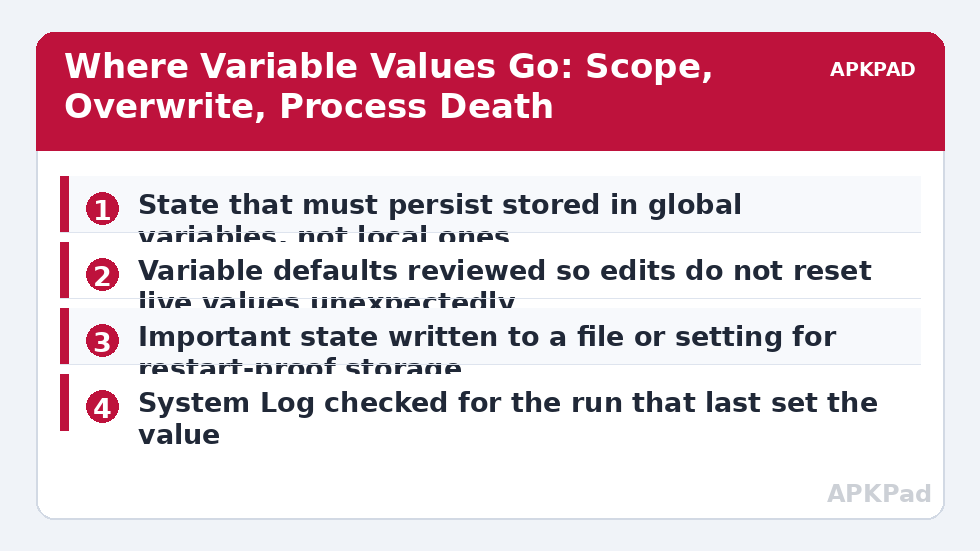
Audit the macros that complain. Any value that must exist before a macro starts — a counter, a mode, a last-run timestamp, a cooldown flag of the kind used against macros running twice — must live in a global variable, created once and referenced consistently. Rename globals so their purpose is unmistakable and they cannot be confused with a same-named local: a global called evening_announced will never be mistaken for a scratch value. Then standardise every reader and writer on that one global; half of all shadowing problems die the moment the macro set stops maintaining two variables with similar names for the same job.
- Persistent values moved from local to clearly named global variables.
- Every macro that reads or writes the state references the same global.
- Confusingly similar variable names renamed or deleted.
How to read this: the estimate adds a small always-on idle cost for MacroDroid itself (about 0.4% of battery per day) to a per-class daily cost for each trigger type you use, scaled slightly by how many macros you run. These are planning estimates from that transparent model — not measurements from your phone. Use them to compare setups before you build, then confirm against the real numbers under Android Settings → Battery.
Step 2: Find and Stop the Overwrite
If a genuine global still resets, something is writing it. Search your macro list for every action that sets that variable: boot-triggered initialisation macros are the classic culprit, resetting state on every restart because that seemed tidy when they were written, followed by template macros cloned from a tutorial with a reset step inside. Decide deliberately which writes are legitimate: an initialisation that only runs when the variable is empty is usually the design you actually want, so add that condition instead of deleting the macro. Check edit history too — if the loss began the day you restructured the macro, the default was re-applied during the edit and the fix is simply to set the live value again and note it before future edits.
- Every macro that writes the variable listed and its trigger reviewed.
- Boot initialisation changed to write only when the variable is empty.
- Live values noted before major macro edits from now on.
Step 3: Give Critical State a Restart-Proof Home
For the small set of values that must survive anything — app data intact but process killed, phone restarted mid-routine — write the value to a file or a system setting at the moment it changes, and read it back when a macro needs it, treating the global variable as a cache rather than the record. This is deliberately heavier engineering, so reserve it for state whose loss has real consequences, such as a medication-announced flag or a one-time setup marker. Protect the runtime side as well: MacroDroid killed mid-run loses in-flight state, and runs delayed or batched by the behaviour in the delayed triggers in Doze guide can read state before a previous run has finished writing it, so apply the battery exemptions from the battery optimisation exclusion guide if your losses correlate with the phone being idle.
- Critical values also written to a file or setting when they change.
- Boot or first-run logic reads the stored value back into the global.
- Battery exemption confirmed if losses happen while the phone is idle.
Verify the Fix: The Restart and Idle Gauntlet
Set the variable to a distinctive value through the real macro, not the editor, then put it through the gauntlet that used to kill it: close and reopen MacroDroid, restart the phone, and leave it idle for several hours, reading the value after each stage and checking the System Log for any macro that wrote it unexpectedly. A fix is verified when the value survives all three stages and every write in the log is one you can name. Repeat once after your next round of macro editing, because edits are a recurring cause and your new habit of noting live values first needs the practice run. Further state and design patterns are linked from the APKPad homepage and the Fixes & Errors index, and if the variable problem arrived with a new handset, the sibling guide on restoring macros on a new phone explains which state never migrates.
When This Fix Won’t Work
Clearing MacroDroid’s app data, uninstalling it, or restoring an old backup will reset variable state no matter how well it was designed, because the values live in that data; the defence is exports and stored copies, not variable choices. Two macros deliberately racing on one counter cannot be made consistent by storage alone — that is a design problem needing a single writer. And if values vanish at random intervals along with whole macros misbehaving, suspect the wider stability problems in the background-killing guides rather than variables specifically: a process being executed nightly by a battery manager leaves many kinds of evidence, and variables are only one of them.
Frequently Asked Questions
What is the difference between a local and a global variable in MacroDroid?
A local variable belongs to one macro and is meaningful during its runs; a global variable is shared across macros and persists as application state. Values that must survive between runs of different macros — a mode flag, a counter, a last-seen time — belong in globals. Most “lost value” reports are a local variable being asked to do a global variable’s job.
Why did my variable reset when I edited the macro?
Editing actions that reference a variable can re-apply its default value, and deleting and recreating a variable with the same name creates a fresh one with the default, not the old contents. Note a critical value down before heavy edits, and after editing, set the live value deliberately rather than assuming it survived the restructure.
Do variable values survive a phone restart?
Global variables are stored with MacroDroid’s data and normally persist across restarts as long as the app data is intact. What does not survive is anything held only in a running macro’s local state at the moment of shutdown. If a value absolutely must outlive everything, write it to a file or a system setting as well and read it back at boot.
Why does my variable have a value in one macro and appear empty in another?
Because the second macro is reading a different variable: either its own local variable with the same name, or a global and a local that share a name and shadow each other in your reading. Open both macros, confirm the exact variable each action references, and standardise on one global for shared state.
Can two macros running at the same time corrupt each other’s variables?
They can overwrite each other: if two macros write the same global without coordination, the last writer wins and the result looks like a lost value. Give each macro its own variables where possible, and where a shared counter is genuinely needed, expect and design for the race — for example by having only one macro own the writes.