A spare phone has one job: to work on the bad day — the day your main phone is lost, broken or stolen. Yet most spares fail that job quietly, discharged to zero in a drawer because standby drain never sleeps. Building a spare phone standby battery macrodroid routine treats the drawer phone as a system with a storage level, a silence policy and a heartbeat check, so that months later it still wakes with charge to spare. The savings here are not percent-per-day trivia; as a typical estimate, a well-silenced spare can stretch standby from a couple of weeks to well over a month, varying by device, battery age and signal conditions in the drawer.
Preparing a spare phone standby battery macrodroid routine starts with storage charge
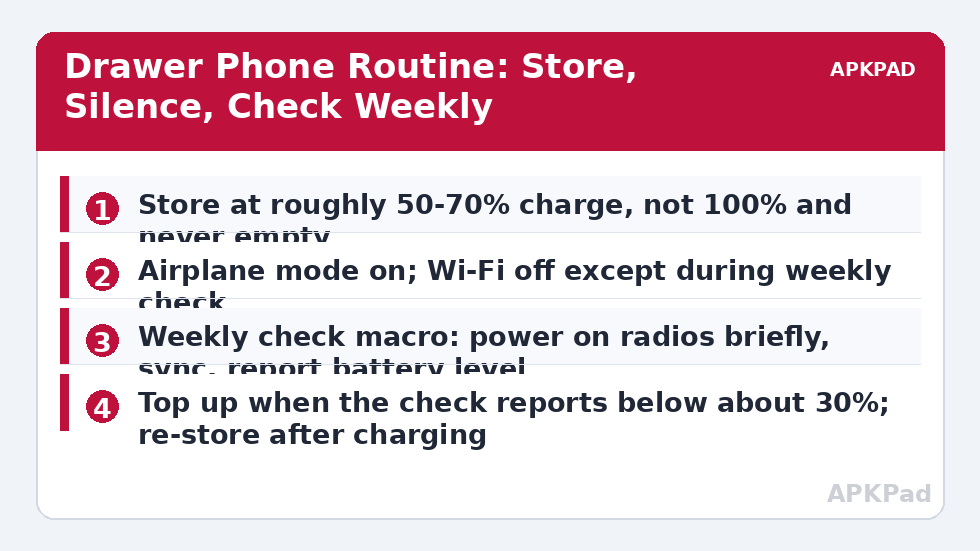
Before any macro, get the chemistry right. Lithium cells dislike two storage states: full and empty. Charge the spare to somewhere in the 50–70% range, then unplug it — storing it plugged in at 100% for months is the fastest way to age it, and leaving it to die at 0% risks a deep discharge from which some cells never properly recover. If your spare supports a built-in charge limit or battery protection mode, enable it for any charging you do. The alert pattern from our 80% charge limit guide can be adapted here with a lower target, so top-ups stop in the storage zone rather than sailing to full. Store the phone cool and dry; a drawer is fine, a car glovebox through summer is not, because heat ages a stored cell even with the phone off.
Then strip the phone’s reasons to wake. Uninstall or disable the app sprawl a retired daily phone accumulates, sign out of noisy accounts you do not need on the backup, and keep only the essentials: your key contacts, a messaging path, banking or authenticator access if that is its purpose, and MacroDroid itself, excluded from battery optimisation so the heartbeat below can run.
How to read this: the estimate adds a small always-on idle cost for MacroDroid itself (about 0.4% of battery per day) to a per-class daily cost for each trigger type you use, scaled slightly by how many macros you run. These are planning estimates from that transparent model — not measurements from your phone. Use them to compare setups before you build, then confirm against the real numbers under Android Settings → Battery.
Step by step: silence, then a weekly heartbeat
- Turn airplane mode on as the stored state. On many builds MacroDroid can do this with the Helper app or an ADB grant; if yours cannot, set it manually — the routine’s later steps matter more than automating this one switch.
- Create Drawer Phone Weekly Check with a weekly day-and-time trigger, at an hour when the phone’s sounds will not startle anyone if it is in your home.
- Actions in order: turn Wi-Fi on (airplane mode can stay on with Wi-Fi re-enabled on most devices), wait two minutes for sync and messages, then write the battery level and charging state to the user log.
- If the level is below your floor — about 30% is a sensible default — play a sound or send a message to your main phone through your chosen channel, telling you the spare needs a top-up.
- Turn Wi-Fi off again and confirm airplane mode is still on, returning the phone to silence until next week.
| State | Radios | Expected behaviour |
|---|---|---|
| Stored | Airplane on, Wi-Fi off, Bluetooth off | Slowest practical standby drain; phone unreachable |
| Weekly check (about 5 minutes) | Wi-Fi on briefly | Sync, account keep-alive, battery level logged |
| Top-up needed | Charging, unplugged at storage level | Alert sent; human charges and re-stores the phone |
| Deployed as your temporary main phone | All on | Disable the drawer routine entirely while in service |
The heartbeat does more than measure. Accounts and services dislike devices that vanish for a year; a weekly brief appearance keeps sessions and security states fresher, so the bad day does not begin with a wall of re-verification. It also exercises the same restore discipline as the nightly airplane mode schedule — radios that turn off must reliably turn on again — at a weekly rather than nightly rhythm. Related long-idle thinking lives in the battery hacks collection on APKPad.
Adapting the routine to different spare-phone jobs
Not every spare is an emergency phone. A travel backup that lives in a suitcase pocket should be checked the week before each trip rather than weekly all year, and stored with offline maps for your destination already downloaded. A spare kept for an elderly relative needs the opposite emphasis: stored reachable, with airplane mode replaced by a strict data-and-sync silence, a loud ringtone for family numbers, and a check that confirms it can still receive a call — reachability is its battery budget’s purpose, and the drain is the price of the service. A developer’s test device, by contrast, should simply be stored off and charged before each use; automation adds nothing there. Name your spare’s actual job before copying any numbers from this guide, and let the job set the floor level, the check interval and whether silence or reachability wins. That job-first habit is also what makes the weekly health check worth running on your main phone.
Permissions and hard limits
Understand the cliff edge: every part of this routine requires a phone that is on, with charge remaining. MacroDroid cannot boot a dead phone, cannot charge it, and cannot warn you after the cell is empty — the 30% floor exists so the warning arrives while action is still possible. Airplane and Wi-Fi toggles may need the Helper app, WRITE_SECURE_SETTINGS via ADB, or manual setting depending on the build. And a drawer phone still ages: even perfect storage slows, rather than stops, capacity loss, so test the spare properly once or twice a year — make a call, open your essential apps, confirm it is still a phone and not a souvenir.
Troubleshooting: the spare was dead anyway
The weekly check never ran. The phone’s own battery manager likely put MacroDroid to sleep, or an update reset its permissions. Exclude MacroDroid from optimisation on the spare, and after any update, open the app once to restore its state. Drain is still fast in airplane mode. Something is waking it — check for a rogue app, a stuck account sync retrying against no network, or a failing battery that self-discharges regardless of settings; storage drain with everything off should be very slow. The low-level alert never reached me. The alert channel itself needed the network during the brief Wi-Fi window; lengthen the window, and test the alert path during a manual check rather than discovering its failure at 25%.
A quarterly drill: prove the spare still deserves its drawer
Once a quarter, promote the spare for an hour. Take it out during a weekly check, let it off airplane mode, and use it as your phone for one ordinary hour: make a call, send messages, open the banking or authenticator apps it exists to protect, and confirm the mobile network still recognises its SIM — carriers can deactivate long-unused lines, and discovering that during an emergency converts a backup plan into a story. Note the battery’s behaviour during that hour: a stored phone whose level falls off a cliff under light use is telling you its cell has aged past usefulness, whatever the standby figures said. Update its apps and system during this drill too, on your home Wi-Fi, so the bad day does not begin with a compulsory update marathon. Then return it to storage charge and silence. An hour a quarter is a trivial price for certainty, and certainty — not a percentage — is the entire product a spare phone sells.
Frequently Asked Questions
What charge level is best for storing a spare phone?
As a general guide, lithium batteries age slowest in storage at a partial charge — roughly half to two-thirds — in a cool place. Storing at 100% for months, or letting the phone sit empty until the cell deeply discharges, are the two habits to avoid.
Should the spare phone be switched off completely?
Off is the lowest-drain state and is fine for many people. The routine in this guide suits a spare you want reachable or quickly checkable — a backup for travel, a family emergency phone, or a device holding accounts you occasionally need.
How often should I check a drawer phone?
Weekly is comfortable; monthly is the minimum worth having. The real requirement is catching the phone before self-discharge and standby drain take it to empty, where long periods can harm the cell.
Can MacroDroid turn the phone on if it has shut down?
No. Once a phone is off or its battery is exhausted, no app can start it. That is exactly why the routine monitors level while there is still charge left to act on.
Is it safe to leave a spare phone charging unattended for weeks?
No — do not leave any phone on a charger permanently. Charge it to the storage range, unplug it, and let the check routine tell you when it needs attention again.