There is a special embarrassment reserved for opening your battery stats and finding MacroDroid — the app you installed to save battery — near the top of the consumption list. The usual mechanism is a wake-lock: something in your macros keeps asking the CPU to stay awake. Learning to prevent wake locks custom macros macrodroid users build accidentally is maintenance every serious setup needs, because the failure is silent: the macros all “work”, the phone just never truly sleeps.
What a Wake-Lock Is, in Plain Terms
Android phones save power by suspending the CPU whenever possible — screen off, no active work, the processor drops into deep sleep and sips. A wake-lock is a formal request that overrides that: “stay awake, I am doing something.” Apps hold partial wake-locks for legitimate short jobs (finishing a download, playing audio with the screen off). Problems arise when a lock is held long or forever. MacroDroid itself manages locks for its own operations — a macro sitting in a long Wait, an action keeping the device awake to complete, a trigger being evaluated continuously. Individually small, these add up to a phone whose “awake” bar in battery history is solid while its “screen on” bar is sparse — the visual fingerprint of wake-lock trouble.
The Usual Suspects in Your Own Macros
| Cause | How It Holds the Phone Awake | Fix |
|---|---|---|
| Long Wait actions (tens of minutes) in frequently fired macros | Each pending wait keeps MacroDroid’s machinery attentive | Restructure as a scheduled second macro or an event, not a wait |
| “Repeat every X seconds” checking loops | The interval IS a wake schedule | Lengthen drastically or convert to event triggers |
| Sensor triggers with tight intervals | Continuous sampling prevents deep sleep | Event-gate the sensor; see the polling guide |
| Keep-awake / stay-awake actions left in a macro | Explicit lock, sometimes with no release path if the macro is interrupted | Pair every keep-awake with a guaranteed release; add a watchdog timeout |
| Macros that trigger themselves (action re-fires its own trigger) | Accidental loops that never terminate | Add a re-entry guard variable; check logs for one macro firing hundreds of times |
How to read this: the estimate adds a small always-on idle cost for MacroDroid itself (about 0.4% of battery per day) to a per-class daily cost for each trigger type you use, scaled slightly by how many macros you run. These are planning estimates from that transparent model — not measurements from your phone. Use them to compare setups before you build, then confirm against the real numbers under Android Settings → Battery.
The Audit Procedure
Step one: confirm the diagnosis. Settings → Battery → usage — if MacroDroid’s share is above roughly 2–3% on a normal day and your setup is not doing something genuinely continuous (like location logging you asked for), investigate. Step two: open MacroDroid’s system log and user log, filtered to the last night. You are looking for frequency: a macro firing every minute all night, an action failing and retrying, a wait chain that never completes. Step three: bisect. Disable half your macros for a night, compare overnight drain; halve again. Two or three nights of bisection find the offender faster than reading forty macros hopefully. The usual winner is a checking loop or a sensor trigger — the same villains as in our sensor polling guide — with self-triggering loops as the dramatic runner-up.
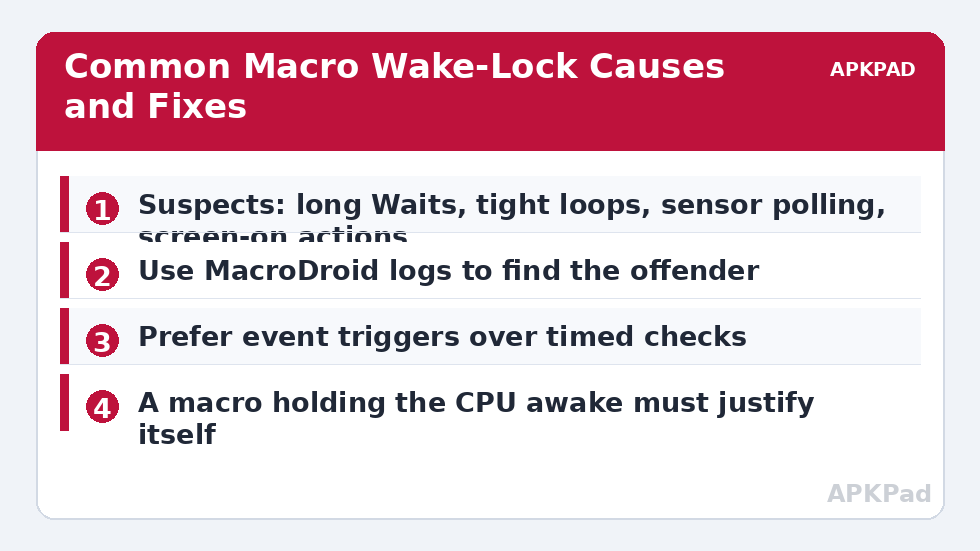
Design Rules That Prevent Recurrence
Events over intervals. If Android announces it (app launched, charger connected, notification arrived), listen; do not poll for it. Waits are short or they are schedules. Anything over a few minutes should be a time trigger or a state variable checked by a later event, not a sleeping macro. Every lock has a leash. Keep-awake actions get a hard maximum duration and a restore macro. Guard your loops. Any macro whose actions can re-trigger itself gets a counter or cooldown variable. Log deliberately. A weekly glance at MacroDroid’s battery share is the smoke alarm for the whole battery hacks setup — most of the collection’s savings can be silently confiscated by one bad macro, and this audit is how you would ever know — ideally as a habit inside the measurement discipline taught by our battery optimization benchmark guide.
Prevention as a Building Habit, Not a Cleanup
Audits fix the past; habits fix the future. Adopt four rules at the moment of creating any macro and wake-lock trouble becomes rare instead of periodic. Rule one — name the wake budget: before saving, state to yourself how often this macro may legitimately wake the phone per day; if the honest number is “thousands”, redesign now, not after the audit. Rule two — prefer state to polling: if the condition is a state Android already tracks (charging, connected, unlocked, in a geofence), find the event or the variable that mirrors it rather than sampling a sensor. Rule three — build the exit first: write the restore/cancel counterpart before the main macro; pairs designed together stay consistent, pairs added later drift. Rule four — one-week probation: every new macro gets its battery share checked after seven days — MacroDroid’s own consumption before and after, plus a glance at its log volume — and a macro that cannot pass probation gets gated, lengthened or deleted while it is still young and you still remember why it exists. These rules are unglamorous and nearly free, which is exactly what prevention looks like in every engineering discipline.
Sharing and Importing Macros Safely
Downloaded and shared macros import other people’s wake budgets. A popular shared macro may poll cheerfully on its author’s flagship and smoulder on your mid-ranger, and community macros are rarely documented with their trigger frequency in mind. Before enabling an imported macro, read its triggers the way the audit taught you: count the timed evaluations, find the waits and loops, ask what holds the phone and for how long. Then run it under the same one-week probation. The battery hacks community shares generously, and most shared macros are fine — but “fine” is a measurement, not a reputation, and your phone’s battery history is the only referee whose ruling affects you.
The One Structural Change That Fixes Most Cases
Step back from individual macros and most wake-lock trouble reduces to one architectural smell: the polling loop used as a universal adapter — a macro that exists because its author (often you, months ago) could not find the event for the job, and so built a checker. The mature setup pattern replaces checkers with state: a handful of “observer” macros listen for the true events (charger, screen, connection, location-cluster, app foreground) and maintain state variables — is_home, is_charging, in_car, quiet_hours — with timestamps. Every other macro reads state instead of sampling the world, so the system’s wake-up count is bounded by real events, not by the product of your macro count and a polling interval. Refactoring an existing setup this way is a weekend project with an outsized return: export everything first, convert the three worst pollers, measure a week. It is the single change most likely to move MacroDroid’s own battery share from “visible” to “embarrassing to have worried about”.
Frequently Asked Questions
MacroDroid shows high battery use but my phone lasts fine. Problem?
Probably not. Percentage shares are relative: on a light-use day, a small absolute consumption looks large proportionally. Judge by outcomes — overnight drain and total screen-on time — not by share alone. Investigate when the outcome worsens.
Can one macro really keep the phone awake all night?
Yes — a self-retriggering loop or a wait-chain that restarts itself will do it, and the battery history “awake” bar will be solid while the screen is off. The logs show it plainly: the same macro name, hundreds of entries, all night.
Do Wait actions themselves hold a wake-lock?
MacroDroid manages waits efficiently and a single short wait is not a concern. The cost appears with scale: many overlapping long waits, or waits inside loops that fire constantly. The design fix is structural (events and schedules), not fear of the Wait action itself.
What is a healthy MacroDroid battery share?
For a typical event-based setup, around 1% or less of daily consumption, often too low to list. Setups with deliberate continuous functions (geofencing, sensor dashboards) may legitimately run 2–4% — the question is whether you chose that cost, not whether it exists.
I found and deleted the bad macro. Anything else to check?
Check for orphans: restore macros whose partner is gone, variables no longer read, and any keep-awake action whose release lived in the deleted macro. Then watch two nights of drain to confirm the cure, and note the culprit so its pattern does not sneak back.