Two opposite annoyances share one cause. Your screen blacks out mid-recipe because the system timeout is thirty seconds — and your battery bleeds because you raised it to ten minutes for the recipe. The setting was never meant to be global; it was meant to follow the app in front of you. This guide shows how to change lock screen timeout duration dynamically per app with MacroDroid, by treating one settings key as a variable your macros manage — including the step everyone skips, which is remembering what the value was before you touched it.
Change lock screen timeout dynamically per app: the screen_off_timeout key
Android’s display timeout lives in the system settings namespace:
settings put system screen_off_timeout 600000
The value is milliseconds. The familiar choices:
| Milliseconds | Timeout | Typical use |
|---|---|---|
| 15000 | 15 seconds | Aggressive battery saving (some OEMs floor at 15s) |
| 30000 | 30 seconds | Common factory default |
| 60000 | 1 minute | Balanced default for a per-app scheme |
| 120000 | 2 minutes | Messaging and browsing |
| 600000 | 10 minutes | Reading, recipes, sheet music, navigation prep |
| 1800000 | 30 minutes | The maximum most builds accept; some cap lower |
MacroDroid writes this key with its System Setting action (System category, key screen_off_timeout). On most devices no ADB grant is needed for this particular key because it is a user preference, but if writes are ignored on your build, the grant in the WRITE_SECURE_SETTINGS guide resolves it. Note one platform truth: this timeout governs the screen turning off, which is also what triggers the lock on most configurations — “lock timeout” in the separate security sense (the grace period after screen-off before the PIN is demanded) is a different setting, found in your lock screen options, and is deliberately not what this macro touches.
How to read this: the estimate adds a small always-on idle cost for MacroDroid itself (about 0.4% of battery per day) to a per-class daily cost for each trigger type you use, scaled slightly by how many macros you run. These are planning estimates from that transparent model — not measurements from your phone. Use them to compare setups before you build, then confirm against the real numbers under Android Settings → Battery.
The architecture: capture, apply, restore
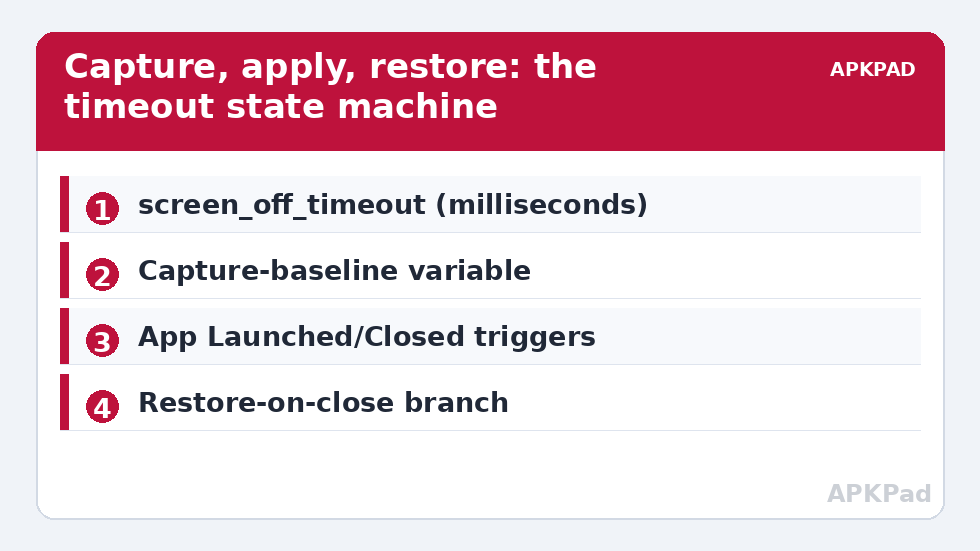
Every per-app timeout scheme that does not eventually strand its owner with a ten-minute screen follows the same three-part pattern.
Part 1 — Capture the baseline once
Create a MacroDroid integer variable, base_timeout. Before building anything else, read your current timeout into it: a Shell Script action running settings get system screen_off_timeout with output saved to the variable, or simply set it manually to the value in Settings → Display → Screen timeout. This variable is your undo button for the entire system.
Part 2 — Apply on app launch
- Trigger: Application Launched → your long-form apps (reader, browser, recipes, maps).
- Action: System Setting →
screen_off_timeout→ 600000 (or a per-app value; use one macro per timeout tier rather than one macro per app). - Recommended tiers: group apps into two macros — “Long” (600000) for reading and reference, “Medium” (120000) for chat and social, everything else untouched at baseline.
Part 3 — Restore on app close
- Trigger: Application Closed → the same app list.
- Action: System Setting →
screen_off_timeout→ value from variable{v=base_timeout}using MacroDroid’s magic text, so the restore always matches your real baseline even after you change it deliberately.
Edge case worth planning for: switching directly from one managed app to another fires close-then-launch in quick succession. Because both macros write absolute values (not “increase by X”), the end state is always the foreground app’s tier — the ordering resolves itself. The genuinely dangerous case is an app crash that skips the close trigger; mitigate it with a nightly “safety” macro (time trigger at 03:00) that writes the baseline unconditionally. This same capture-apply-restore skeleton powers several other tweaks in this system tweaks series.
Variations power users actually keep
- Charging override: add a constraint to the long-tier macro — or a separate Power Connected trigger — that sets 1800000 while charging at your desk, restoring on disconnect. Screens cost little when the cable is paying.
- Reading in bed: combine the timeout change with the evening brightness values from time-based brightness calibration: long timeout, low fixed brightness, after 22:00 only.
- Presentation and demo mode: before screen-sharing or showing photos, a floating button sets the maximum timeout once — simpler than a trigger, and the restore button sits next to it. See the floating button dashboard for the pattern.
- Per-app exceptions inside a tier: banking apps should keep short timeouts regardless of tier — exclude them, and consider their own security settings authoritative. Never extend the timeout for apps that display payment or identity data; the convenience is not worth the exposure window on a lost phone.
What this does not do
MacroDroid cannot keep the screen on indefinitely through this key on builds that cap the value (many cap at 30 minutes; some enterprise-managed devices cap at less, and their policy wins). True “never sleep while this app is open” behaviour is the app’s own wake-lock territory — video and navigation apps already do it themselves. Also note the difference between your macro failing and the setting being overridden: if a “device administrator” app (work profile, MDM) enforces a maximum timeout, writes above that maximum are clamped silently. The symptom — timeout that will not go above a specific value no matter what you write — is the fingerprint of an admin policy, not a broken macro.
Undo: back to a single global timeout
Disable the apply and restore macros, then write your baseline once: run the safety macro manually, or adb shell settings put system screen_off_timeout 30000 with your preferred value. The phone returns to one global timeout, exactly as it shipped. No residue remains — the whole system was three macros and one variable.
Screen-off is not lock: Smart Lock and the grace period
Two delays are often confused, and your scheme touches only one of them. screen_off_timeout decides when the display sleeps. A separate system behaviour decides how soon after sleep the phone demands your PIN or fingerprint again — on many builds this is the “lock automatically” grace in lock-screen settings (immediately, 5 seconds, up to 30 minutes after sleep on some skins), extended further by Smart Lock / Extend Unlock when you are at a trusted place, on-body, or near a trusted device. The practical meaning for your tiers: extending the screen timeout in your reader does not weaken your lock posture as much as it appears, provided your lock grace is short — the phone can keep its page lit for ten minutes while reading, yet lock within seconds of the screen actually going dark. Configure the two together: long screen tiers for reading apps, short lock grace everywhere. Users who conflate them either accept a sluggish lock for safety theatre or a long grace for convenience, and both trades are worse than the combination.
Verifying your tiers in five minutes
Do not trust the build; measure it. (1) Read the live baseline: adb shell settings get system screen_off_timeout. (2) Open a long-tier app, wait ten seconds, read again — the value must be the tier value. (3) Leave to the home screen, read a third time — it must be your baseline, exactly. (4) Force-stop the long-tier app from Settings (simulating a crash that skips the close trigger), confirm the nightly safety macro exists to catch this case — or run it manually and read a fourth time. (5) Finally, deliberately change your baseline in Display settings and confirm the restore macro follows the variable to the new baseline rather than resurrecting the old one. Five minutes, four reads, and the system is no longer a hope but a verified mechanism.
Frequently Asked Questions
What value should my baseline timeout be?
Whatever you were comfortable with before automating — 30 or 60 seconds suits most people. The per-app system exists so the baseline can stay short (good for battery and security) while specific apps get room to breathe.
Why does my screen still lock quickly in one app?
Either the app enforces its own behaviour, or a work-profile/MDM policy clamps the maximum timeout. Test by writing a large value from ADB and reading it back; if it returns clamped, a device admin policy is responsible and your macro is fine.
Does a longer timeout hurt battery much?
Only while the screen is actually on. The cost appears when a long timeout leaves the display lit in a pocket or face-down on a desk. That is why the restore-on-close macro and the nightly safety reset are part of the design, not optional extras.
Can I set different timeouts for more than a few apps?
Yes, but organise by tier, not by app: two or three macros with app lists are maintainable; twenty single-app macros are not. If an app needs a truly unique value, it gets its own macro — that should be the rare exception.
How do I restore everything if I delete the macros by accident?
Write the baseline manually once: Settings → Display → Screen timeout, pick your value. The macros only ever wrote this single key, so one manual write returns the phone to a known state.