Multilingual users live a double life their phones do not understand: messages in one language, work documents in another, and a banking app that only behaves in a third. Android 13 finally gave per-app languages a proper home, and MacroDroid can automate the language and region swapping around your day. This guide is precise about the boundary — because system language is one of the places where automation marketing routinely overpromises. Here is what can genuinely be automated, what needs ADB, and what no macro can do.
The honest map of what is possible
| Goal | Possible? | Mechanism |
|---|---|---|
| Change one app’s language (Android 13+) | Yes, natively | Settings → System → Languages → App languages; applies instantly |
| Change the whole system language | Not by a normal app | Protected: requires system privileges, root, or device-owner control |
| Change region/format (dates, numbers, temperature) | Partly | Follows the active locale; per-app locale changes carry formats with them |
| Switch keyboard language automatically | Yes | Gboard and most keyboards follow the app/context or offer per-app memory |
| Change system locale via ADB | On some builds, with limits | cmd locale shell commands — see below |
The system language restriction is deliberate: a silent locale swap changes every label on the phone, and Android treats that as a user decision, not an app decision. Any guide claiming a one-tap macro flips the entire OS language on an unrooted phone is skipping the part where a confirmation or a privileged component does the real work.
Automate system language and region swapping: per-app languages on Android 13+
For most multilingual workflows, per-app language is actually the better tool — you rarely want the whole phone in another language; you want the banking app, the government services app, and the news reader in theirs. Set each once:
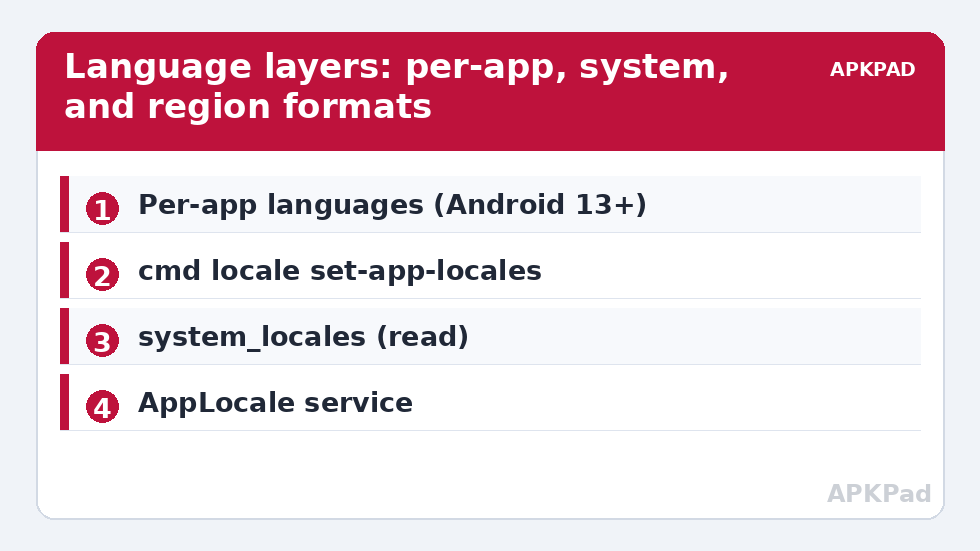
- Settings → System → Languages → App languages.
- Pick the app, choose its language. The app restarts in that language immediately.
- Repeat per app. There is no limit that matters in daily use.
From ADB, the same setting is scriptable, which is where MacroDroid plus its Helper can help on a fresh setup:
adb shell cmd locale set-app-locales com.example.bank --locales ur-PK
And to read the current state: adb shell cmd locale get-app-locales com.example.bank. Run through MacroDroid’s Shell Script action, these let a “new phone setup” macro apply your whole language map in one pass. Note the locale tag format: language-region such as en-GB, ur-PK, ar-EG.
How to read this: the estimate adds a small always-on idle cost for MacroDroid itself (about 0.4% of battery per day) to a per-class daily cost for each trigger type you use, scaled slightly by how many macros you run. These are planning estimates from that transparent model — not measurements from your phone. Use them to compare setups before you build, then confirm against the real numbers under Android Settings → Battery.
Where MacroDroid adds real value: context around the languages
- Keyboard readiness: Gboard remembers language per app in recent versions; where it does not, a MacroDroid App Launched trigger can fire a notification reminder or open your keyboard’s language switch — modest, but it removes the daily friction.
- Reading profiles: combine locale work with the font and display profile macro from automating system UI settings — right-to-left languages in particular benefit from a slightly larger font scale.
- Travel mode: a single macro for landing in another country: set your travel apps’ locales via the shell commands above, toggle your private DNS profile for hotel Wi-Fi, and enable data-roaming reminders. One tap, reversible on the flight home.
System locales via ADB: the fine print
Android 13’s locale service exposes shell commands such as adb shell cmd locale get-system-locales. A matching set command exists for privileged callers; from a plain ADB shell its effect varies by build — on some devices it applies, on others it is ignored or requires the ADB grant plus a reboot to settle. Treat any system-locale change as an experiment on your specific phone: record the output of the get command first, change one thing, verify, and keep the original tag list written down to restore. Do not build a daily automation on it until it has survived a week of reboots on your device.
Region is a different axis: the region used for number and date formats follows the top system language’s region. There is no independent region switch in stock Android; OEM skins occasionally add one. If your real problem is formats (24-hour clock, week start, temperature units), those are separate settings — time format is a system key (time_12_24) that MacroDroid can write directly.
Undoing language changes
Per-app languages revert in the same App languages screen — set the app back to “System default”. The ADB route reverts with cmd locale set-app-locales <package> --locales '' semantics on most builds (an empty selection means system default), or simply use the settings screen. System locale experiments revert by re-applying the original tag list you recorded. Nothing here can strand the phone in a language you cannot escape: the Settings app’s position and iconography stay recognisable, and Languages sits in the same place in every locale.
More boundary-honest automation like this fills the system tweaks category — every article states the undo before celebrating the trick.
A concrete multilingual stack, end to end
To make this tangible, here is a real-shaped configuration for a user whose home language is Urdu, whose work runs in English, and who uses two services that only make sense in their own languages. The system language stays English — it is the phone’s “operating” language and the user reads it fastest. Per-app assignments: the banking app in Urdu (its English localisation is notoriously incomplete), a government services app in Urdu for the same reason, a news app in Urdu, and a scripture app in Arabic, each set once in App languages. Gboard carries three languages and switches by app memory, with the spacebar long-press as the manual fallback. A MacroDroid “Travel” macro handles trips to family in another region: it re-points the two travel-relevant apps’ locales using the cmd locale shell commands, enables the strict DNS profile for hotel networks, and raises font scale slightly because the user reads Urdu script more comfortably larger — three small changes, one tap, and a mirror macro undoes them at home. Nothing in that stack required changing the system language even once. That is the typical shape of success here: the OS language is the least interesting variable in a multilingual life.
When an app ignores its language setting
Troubleshoot in this order. First, the app may simply not declare per-app locale support — the App languages screen only lists apps that opt in or that the system can handle, and an absent app is giving you its answer. Its own in-app language setting, if any, is then the only route. Second, the app’s content may be server-driven: a news or shopping app can localise its interface perfectly while its catalogue follows an account region set on the service’s website — that is an account setting, not a phone setting. Third, WebView-heavy apps sometimes render pages in the language negotiated with the site, which follows the app’s locale but can be overridden by the site. Fourth, some apps need a full restart (force-stop and reopen) before a locale change applies — try that before concluding anything. In all four cases the failure is informative about where the language decision lives, and none of them is fixed by stronger automation.
Frequently Asked Questions
Can MacroDroid change my whole system language automatically?
No — not on an unrooted phone. The system language is protected and can only be changed by the user in Settings, or by privileged components (root, device owner). What MacroDroid can automate is per-app languages via Android 13’s locale service shell commands, plus all the surrounding context.
Which Android versions support per-app languages?
The App languages settings screen arrived with Android 13. The app itself must also declare support for per-app locales; most major apps do. On Android 12 and earlier, language choice is inside each app’s own settings, if it offers one.
What is the correct format for a locale in the ADB command?
A BCP 47 language tag: language, optionally a hyphen and region — for example en-US, en-GB, es-MX, ur-PK, ar-SA. Use get-app-locales on a configured app to see tags in exactly the form your device expects.
Does changing an app’s language also change its date and number formats?
Generally yes — apps that respect the locale apply its conventions for dates, numbers, and text direction. Right-to-left languages will flip the app’s layout if the app supports RTL, which nearly all modern apps do.
How do I undo a per-app language?
Open Settings → System → Languages → App languages, pick the app, and choose “System default”. The app returns to following the phone’s language immediately.