A clipboard macro that ran flawlessly for years now triggers late, reads empty text, or never fires at all. The honest starting point to fix clipboard actions android 10 macrodroid setups is that this one is not a bug in your macro or a permission you forgot: Android 10 deliberately ended background clipboard access for ordinary apps, and every version since has kept that wall in place. What you can fix is the design — routing the copy through the moments and mechanisms Android still allows — and this guide separates what is recoverable from what is gone.
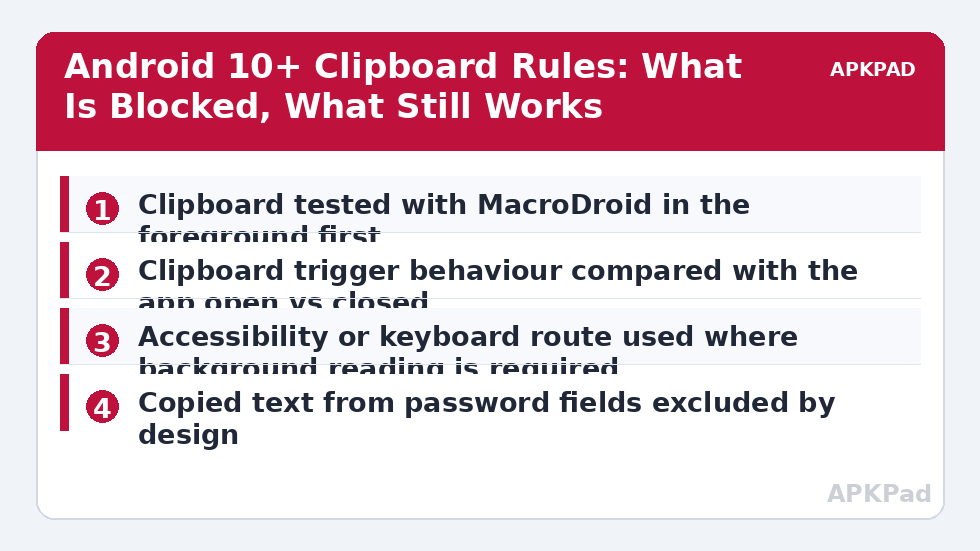
Run the defining test first. Copy a distinctive word with MacroDroid open in the foreground and watch whether your trigger or read action sees it. Then copy the same word from another app with MacroDroid closed. If the first works and the second does not, your macro is healthy and the platform rule is your whole problem; skip every permission step and go straight to the redesign options. If even the foreground copy fails, you have an ordinary macro fault — check the trigger is enabled, the variable you store into exists, and the System Log for the copy moment — before blaming the version of Android.
What Actually Broke: Causes in Order
Most clipboard complaints on modern Android trace to the first cause. The others explain the partial failures — works here, not there — that make people suspect their macro instead of the platform.
- The Android 10 foreground rule: only the foreground app and the default input method can read clipboard content, so background reads silently return empty.
- Clipboard cleared or expired: keyboards such as Gboard pin and expire copied items, and later Android versions clear old clipboard content automatically, so a delayed read finds nothing.
- Sensitive content flags: text copied from password fields and many banking apps is marked sensitive and withheld or auto-cleared by design.
- An OEM layer on top: Samsung, Xiaomi, and Oppo skins add their own clipboard managers and privacy prompts that can intercept, store, or block content differently from stock Android.
- A macro design that polls: a loop or interval trigger that checks the clipboard every few seconds was viable before Android 10 and is precisely the pattern the restriction kills.
Fix Clipboard Actions Android 10 Designs, Honestly
There is no toggle in this section that restores the old behaviour, and any guide that promises one should be distrusted. These steps recover the workflows that can be recovered, by moving the copy moment into the foreground or into a channel Android permits.
Step 1: Move the Copy Moment Into the Foreground
The most reliable pattern is to make MacroDroid the foreground app at the moment of reading: a Floating Button or widget that you tap after copying, which opens or foregrounds MacroDroid and runs the read-and-act sequence while access is allowed. It adds one tap to the workflow, and in exchange it works on every current Android version without exotic permissions. For text you generate rather than copy — a template, a canned reply, a formatted timestamp — skip the clipboard entirely and have the macro write the value directly with a Set Clipboard action followed by your next step, since writing is far less restricted than reading. Where a macro’s whole purpose was silent background monitoring of everything you copy, retire it honestly rather than rebuilding it on a promise no app can keep.
- Clipboard read redesigned to run while MacroDroid is foregrounded by a button, widget, or notification tap.
- Set Clipboard (write) actions kept as-is — they are not the restricted direction.
- Polling clipboard designs deleted instead of patched.
How to read this: the estimate adds a small always-on idle cost for MacroDroid itself (about 0.4% of battery per day) to a per-class daily cost for each trigger type you use, scaled slightly by how many macros you run. These are planning estimates from that transparent model — not measurements from your phone. Use them to compare setups before you build, then confirm against the real numbers under Android Settings → Battery.
Step 2: Use Share and Keyboard Routes Where They Fit
Many apps let you share selected text, and a share is a deliberate hand-off Android fully supports: where your workflow starts in another app, sharing the text toward your automation route can replace the copy-and-pray pattern. The default keyboard is the other privileged reader — it must see the clipboard to offer paste suggestions — which is why keyboard-based clipboard histories keep working while app-based ones died. Neither route restores invisible background reading, and both change the habit the macro was built around, so expect a week of reaching for the old gesture. If your redesign leans on taps and gestures, the failure modes in the UI interaction lock screen guide apply to it as well. If your setup also relies on accessibility-driven UI steps, confirm that service is alive using the accessibility service guide, because clipboard redesigns often lean on it.
- Share-sheet route tested for apps where the workflow starts.
- Keyboard clipboard history used for paste-side workflows.
- Accessibility service confirmed on if the redesign uses UI steps.
Step 3: Handle Sensitive and Expiring Content by Design
Accept two behaviours as features and design around them. Sensitive copies from password fields will not be readable, so never build a step that depends on capturing a credential; ask for a deliberate paste into a MacroDroid dialog instead. Expiring clipboard content means a read must happen immediately: trigger from the copy moment or the foreground tap, never from a timer minutes later. On Samsung devices, check the Samsung keyboard’s clipboard settings, and on Xiaomi and Oppo builds check the skin’s clipboard privacy prompts, because the OEM layer decides some of these behaviours before MacroDroid is involved at all.
- No macro step depends on reading a password or banking copy.
- Clipboard reads happen at copy time, not on a later timer.
- OEM clipboard settings checked on Samsung, Xiaomi, and Oppo devices.
Verify the Fix: Foreground Pass, Background Honesty Check
Verify in two passes so you know exactly what you have. First, the foreground pass: copy your test phrase, bring MacroDroid forward the way your redesigned macro expects, and confirm the full sequence — read, transform, act — completes with the correct text in the System Log. Second, the honesty check: copy from another app with MacroDroid closed and confirm you understand the result, whether that is an empty read by design or a prompt to foreground the app. A redesign is verified when its behaviour is predictable in both states, not when the background case magically starts working. Related redesign patterns are collected on the APKPad homepage and in the Fixes & Errors index, and if your new foreground step uses a home-screen shortcut, the sibling guide on widget and shortcut macros not responding covers keeping that entry point alive.
When This Fix Won’t Work
Say it plainly: silent, continuous background clipboard monitoring by a normal app does not work on Android 10 and later, and no MacroDroid setting, battery exemption, or ADB grant in this guide restores it. Root and certain device-owner or system-app arrangements change the picture on specialised devices, but they are outside ordinary MacroDroid use and outside what this site recommends for a daily phone. Work profiles add a further wall, deliberately separating work clipboard content from personal apps. If a workflow truly cannot survive one foreground tap or a share step, the workflow itself belongs on a different platform — a desktop clipboard, a keyboard app, or the source app’s own automation — rather than in a macro fighting the operating system.
Frequently Asked Questions
Why did my clipboard macros stop working when my phone updated to Android 10?
Because Android 10 restricted clipboard access to the app in the foreground and the default keyboard. Before that, any app could read the clipboard in the background; afterwards, background reads return empty. MacroDroid did not change — the platform removed the capability the macro was built on.
Can any setting restore background clipboard reading?
There is no normal settings toggle that restores it for a regular app. Routes that still work are MacroDroid being in the foreground when the copy happens, features built on accessibility where your build permits them, or copying from within an app that shares the text deliberately. Be wary of any app or modded build promising unrestricted background clipboard access.
Why does the clipboard trigger work when MacroDroid is open but not later?
That is the restriction working exactly as designed: foreground access succeeds, background access is denied or returns nothing. It confirms your macro logic is correct and the limitation is the platform rule, so the redesign — bringing MacroDroid forward, or using a share or keyboard route — is the fix rather than more permission hunting.
Why is text copied from my password manager always empty?
Password fields and password managers commonly mark their clipboard content as sensitive, and Android and the apps themselves clear or hide that content from other apps. That behaviour is a security feature. Build automations that ask you to paste deliberately rather than trying to capture credentials from the clipboard.
Does Android 12 and later make clipboard behaviour stricter still?
Later versions added user-facing signals such as notifications when an app reads the clipboard and automatic clearing of old clipboard content. The core Android 10 rule — foreground and keyboard only — remains the foundation. Design clipboard macros for the current rules rather than expecting a future update to loosen them.