The 7 a.m. macro runs at 7:23. The overnight location action fires when you pick the phone up, not when it should. Nothing is broken in the macro itself — the phone was asleep, and Android decided your automation could wait. Learning to fix delayed trigger execution deep sleep doze mode behaviour causes means separating three systems that all look identical from the outside: Doze, App Standby, and your OEM’s private battery killer.
That separation matters, because each system has a different control, in a different settings screen, owned by a different maker. Exempting MacroDroid from one while the other two still apply is the single most common reason this problem “survives” a fix attempt. Work through the cause tree in order, and verify after each layer.
Understand What Slept: Three Different Delays
| System | What it does | Typical delay pattern |
|---|---|---|
| Doze (stock Android) | Defers jobs, alarms, and network while the device is still, unplugged, and screen-off; work runs in brief maintenance windows | Actions batch up and fire together when a maintenance window opens or the screen wakes |
| App Standby Buckets | Ranks apps as active, working set, frequent, rare, or restricted; rarer buckets get fewer run opportunities | A rarely opened app like MacroDroid drifts into a restricted bucket and its triggers slip further over days |
| OEM battery killer (MIUI, One UI, ColorOS) | Stops or freezes background apps beyond stock Android behaviour | Triggers do not merely delay — they fire only when you open the app or unlock the phone |
A useful diagnostic clue: if delayed actions all fire within seconds of unlocking the phone in the morning, the work was queued, not lost — classic Doze or standby behaviour. If they never fire until you open MacroDroid itself, suspect the OEM layer. If the delay grows worse the longer you go without opening MacroDroid, suspect the standby bucket.
Layer 1: Exempt MacroDroid From Battery Optimisation
This is the stock-Android control, and it is necessary on every phone, whatever the skin:
- Pixel: Settings > Apps > MacroDroid > App battery usage > Unrestricted.
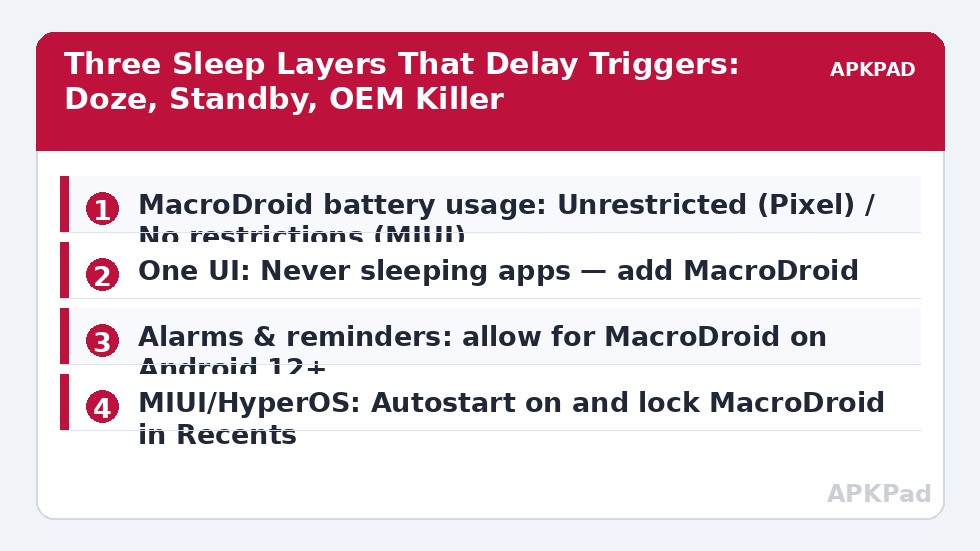
- Samsung One UI: Settings > Apps > MacroDroid > Battery > Unrestricted — and separately, Settings > Battery > Background usage limits > Never sleeping apps > add MacroDroid. Both, not either.
- MIUI / HyperOS: Settings > Apps > Manage apps > MacroDroid > Battery saver > No restrictions, and turn Autostart on in the same app-info screen.
- ColorOS / Realme UI: Settings > Apps > MacroDroid > Battery usage > Allow background activity and Allow auto launch.
If you have worked through this before and it reverted, you are not imagining it: updates can reset these choices. Our guide to battery optimisation exclusions resetting after an update covers how to spot and re-apply them.
How to read this: the estimate adds a small always-on idle cost for MacroDroid itself (about 0.4% of battery per day) to a per-class daily cost for each trigger type you use, scaled slightly by how many macros you run. These are planning estimates from that transparent model — not measurements from your phone. Use them to compare setups before you build, then confirm against the real numbers under Android Settings → Battery.
Fix Delayed Trigger Execution Deep Sleep Doze Mode: Exact Timing
Some triggers are time-based, and Android treats inexact timing as a feature: a reminder that fires within a window uses far less power than one that wakes the phone at a precise second. Decide honestly which of your macros genuinely need exact timing — a morning routine that starts a sequence, a scheduled message — and which merely felt late, such as a nightly cleanup that can run in any maintenance window.
For genuinely time-critical macros:
- Keep the macro simple. Long action chains that start late and run long look like a bigger delay than they are.
- Avoid stacking time triggers on top of other sleeping triggers, such as “at 7 a.m., if location is home” — the location check inherits its own delays, as covered in fixing location triggers on Android 14 and 15.
- On Android 12 and later, check Settings > Apps > MacroDroid > Alarms & reminders, where that screen exists, and ensure alarms are allowed. Without it, time triggers are delivered inexactly by design.
- Where MacroDroid offers an exact-alarm or alarm-clock style option for a trigger, use it only for the few macros that justify waking the device — using it everywhere trains both Android and you to ignore the distinction.
Layer 3: The OEM Killer, Skin by Skin
Stock exemptions do not stop vendor systems. Treat this layer as mandatory on Xiaomi, Samsung, and Oppo-family phones:
- MIUI / HyperOS: Beyond No restrictions and Autostart, lock MacroDroid in the Recents screen (open Recents, long-press the MacroDroid card, tap the lock). Also check Settings > Battery > any “clear background apps” or scenario-based sleep feature and exclude MacroDroid there.
- One UI: Beyond Never sleeping apps, open Settings > Device care and make sure a scheduled auto-optimisation is not re-adding MacroDroid to the sleeping list. Put it on the excluded-apps list for auto optimisation if your build offers one.
- ColorOS / Realme UI: Lock the app in Recents as on MIUI, allow auto launch, and check the Phone Manager / Battery “app quick freeze” style feature — frozen apps receive nothing until opened.
- Custom ROMs: LineageOS and similar builds hew closer to stock behaviour, so Layers 1 and 2 are usually sufficient. If you use a third-party battery-saver or hibernation module on a rooted build, whitelist MacroDroid there — that module is your fourth, unofficial layer.
The broader OEM background problem — triggers that never fire at all, not just late — is diagnosed in fixing MacroDroid not working in the background. If your symptom is delay rather than absence, stay in this article; the fixes overlap but the verification differs.
Verification: Prove the Trigger Fires on Time, Asleep
Daytime testing proves nothing, because using the phone keeps it out of deep sleep. Verify like this:
- Create a test macro with a time trigger fifteen minutes ahead, whose only action is something timestamped and visible — write a line to a file, post a notification, or log to MacroDroid’s user log.
- Lock the phone, put it face down, unplugged, and leave it completely alone. Do not pick it up to check the time.
- After the trigger time plus two minutes, pick the phone up and check MacroDroid’s System Log first, before opening anything else. Compare the execution timestamp with the scheduled time.
- Repeat once overnight with a longer gap. A fifteen-minute test can pass inside a maintenance window by luck; an overnight test cannot.
If the overnight test is still late after all three layers, note the actual delay. A consistent delay that matches a maintenance-window pattern on an otherwise unrestricted app can indicate a faulty sensor — some devices fail to exit Doze because a motion sensor misreports — which shows up as delays for every app, not just MacroDroid. Test another app’s scheduled alarm to confirm before blaming your macro.
More sleep, trigger, and permission diagnoses are collected in the Fixes & Errors category.
When This Fix Won’t Work
Doze exists to save battery, and some of its behaviour is not yours to override. While the device is in deep Doze, non-exempt network access and ordinary jobs wait — that is the design, and an automation that needs live network at 3 a.m. on an unplugged, motionless phone may simply need a different design, such as running when charging starts. Manufacturer “ultra standby” and extreme power-saving modes override almost everything except calls; macros will not run on time inside them, full stop. Finally, accept the trade-off honestly: an unrestricted MacroDroid uses more battery. For most users that cost is small, but on an ageing battery it is real, and exempting one well-chosen app is wiser than exempting twenty.
Frequently Asked Questions
Why do all my delayed macros fire at once when I unlock my phone?
Because Doze queues deferred work and releases it when the device wakes or a maintenance window opens. The triggers were delayed, not lost. Exempt MacroDroid from battery optimisation, check Alarms & reminders on Android 12 and later, and verify with an overnight test where you do not touch the phone.
I already set MacroDroid to Unrestricted. Why is it still late?
Because Unrestricted is only the stock-Android layer. Samsung’s Never sleeping apps list, MIUI’s Autostart and Recents lock, and ColorOS auto-launch and freeze controls are separate systems that can still stop or delay the app. Work through the OEM layer for your skin and retest overnight.
Do all my macros need exact alarms?
No, and they should not all have them. Reserve exact timing for macros where the minute genuinely matters, such as a morning sequence. Cleanups, logging, and state checks run perfectly well inside Doze maintenance windows, and forcing them exact only costs battery without improving anything you will notice.
How can I test deep sleep delays without waiting all night?
A fifteen-minute test — phone locked, face down, unplugged, untouched, with a timestamped test action — catches most OEM-killer problems. It can miss pure Doze behaviour, though, because a maintenance window may open by chance. Confirm any pass with one overnight test before you consider the fix proven.
Does exempting MacroDroid from Doze drain the battery badly?
Usually modestly, because MacroDroid itself is lightweight; the drain depends on what your macros do while the phone sleeps. An unrestricted app running frequent location or network actions costs far more than one running a few time triggers. Exempt MacroDroid, monitor battery for two days, and judge on your own numbers.