The back of the phone is hot, the battery graph falls off a cliff, and MacroDroid sits near the top of the usage list. To troubleshoot macro loops CPU overheating problems methodically, treat heat as a symptom of work, not a fault in itself: something is executing far more often than you designed it to, and your job is to find which macro, which trigger, and which missing exit condition turned a sensible automation into a furnace.
First Evidence: Name the Guilty Macro
Do not start by editing macros at random. Open MacroDroid and sort the macro list by recent activity if your version offers it, then check MacroDroid’s System Log for volume: a log filling with the same macro name many times per minute is the loop announcing itself. Note the timestamp pattern. Entries every second or faster mean a self-retriggering loop. Entries in bursts when a state changes mean a trigger storm. Entries at a steady, sane interval with the phone still hot point instead at an action that never finishes — a hung HTTP request, a shell command waiting forever, or a wait loop inside the macro itself.
A decisive isolation test takes two minutes: disable half your macros, use the phone normally for fifteen minutes, and watch temperature and the log. Still looping? Disable half of the remainder. This binary search finds the culprit faster than reading forty macros hopefully, and it leaves a written trail of what was disabled when — write it down as you go, because re-enabling in the wrong order recreates the problem you just removed.
The Four Loop Shapes, and What Causes Each
Shape 1: The Macro Retriggers Itself
The macro’s actions change the very state its trigger watches. A macro triggered by a variable change that also sets that variable; a macro triggered by volume change whose actions adjust volume; a macro triggered by screen state that turns the screen on. Each run schedules the next, indefinitely, as fast as the phone can execute. This is the classic loop and the hottest one.
Shape 2: Two Macros Chase Each Other
Macro A reacts to a state and sets a flag or mode; Macro B reacts to that and sets it back. Neither macro loops alone — disable either one and the heat stops — which is why single-macro inspection finds nothing wrong. The System Log gives it away: two macro names alternating, hundreds of times.
Shape 3: Trigger Storm From a Flapping Condition
A sensor or connectivity trigger oscillates at a boundary: Wi-Fi signal at the edge of range connecting and disconnecting, a light sensor hovering at its threshold, a cell tower hopping, a battery level trigger re-arming around its percentage. The macro is innocent; its trigger fires legitimately dozens of times because reality is flickering. Compare this with the boundary behaviour discussed in delayed triggers and Doze — the opposite failure, triggers arriving too rarely, often tempts people to remove the very delays that prevent storms.
Shape 4: The Action That Never Ends
A Wait Until action whose condition never becomes true, an HTTP request to a dead server retried by design, or a plug-in action that hangs — the family covered by troubleshooting plug-in integration with MacroDroid. The macro runs once and never exits, holding a wakelock and keeping the processor awake. In the log it looks quiet, which is precisely the trap: sort by running state, not by entry count.
Troubleshoot Macro Loops CPU Overheating: Fixes in Safest Order
Fix 1: Add a Re-entry Guard Variable
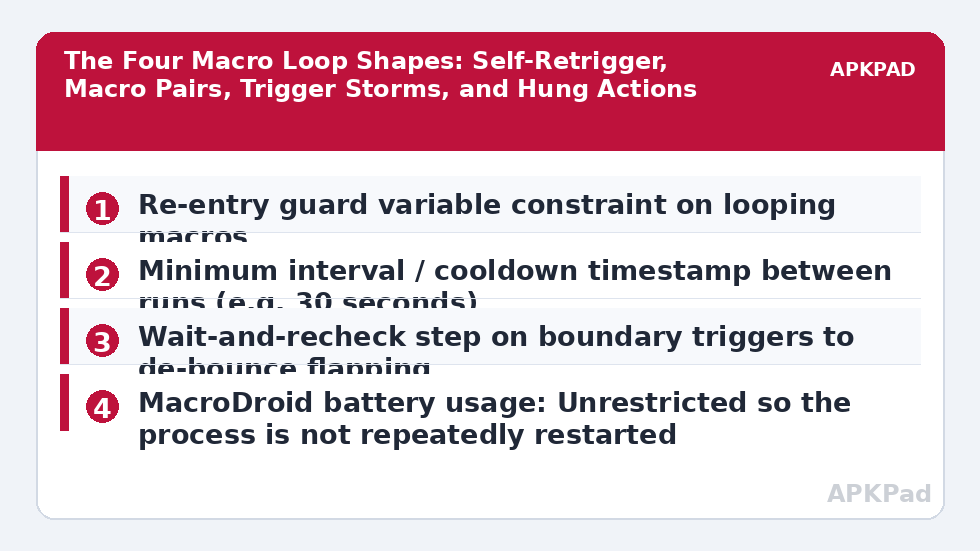
For self-retriggering macros, add a boolean variable, set it true as the very first action, clear it only as the last action, and add a macro constraint that the variable must be false. If the trigger fires while the macro is already running, the constraint blocks the re-entry. For loops, additionally record a timestamp variable at each run and add a constraint that at least, say, thirty seconds must pass between runs. A rate limit turns a runaway furnace into, at worst, a mildly warm inconvenience while you diagnose it properly.
Fix 2: Break the Trigger–Action Overlap
If the macro must change the state it watches, insert separation. Set a “cooldown” variable before the action, have the trigger’s constraint ignore events while the cooldown is active, and clear it with a separate delayed macro rather than inside the same run. For volume and brightness macros, the alternative is to trigger on a different signal entirely — a button, a widget, a time — instead of on the value you are about to change.
Fix 3: De-bounce Flapping Triggers
Raise thresholds away from the boundary the real world flickers around, add a Wait and re-check pattern (“trigger fired; wait 60 seconds; only act if the condition is still true”), and for connectivity triggers prefer the stable state — act on disconnect after a delay, not on every connect blip. A battery percentage trigger should usually be paired with a charger-state constraint so percentage noise around the threshold while charging cannot retrigger it repeatedly.
Fix 4: Cap Long Actions and Stop MacroDroid Being Blamed for OEM Heat
Give network actions explicit timeouts where the action offers them, avoid Wait Until conditions that can never occur, and keep shell or plug-in actions out of high-frequency macros. Then check the phone itself is not misattributing heat: after a system update, media scanning and photo indexing run hot for a day with MacroDroid merely present in the usage list. Also confirm MacroDroid’s battery setting — a phone desperately freezing and restarting MacroDroid’s process can add churn, the same exemption discussed in battery optimisation exclusions resetting after updates: Pixel — Settings → Apps → MacroDroid → App battery usage → Unrestricted; Samsung One UI — Settings → Battery → Background usage limits → Never sleeping apps; Xiaomi MIUI/HyperOS — Settings → Battery → MacroDroid → No restrictions; ColorOS — Settings → Apps → MacroDroid → Battery usage → Allow background activity.
How to read this: the estimate adds a small always-on idle cost for MacroDroid itself (about 0.4% of battery per day) to a per-class daily cost for each trigger type you use, scaled slightly by how many macros you run. These are planning estimates from that transparent model — not measurements from your phone. Use them to compare setups before you build, then confirm against the real numbers under Android Settings → Battery.
Verification: Prove the Loop Is Dead
Re-enable the repaired macro alone. Build a test: deliberately create its trigger condition twice in a row, then open the System Log and count executions — one run per genuine event is correct; a second run within your cooldown window means the guard failed. Leave the phone idle, screen off, for thirty minutes, then check Settings → Battery usage: MacroDroid should be a minor entry, and the phone should be cool to the touch. Finally, re-enable your other macros in the order you recorded, a few at a time, glancing at the log after each batch. Verification by log count, not by hope, is what closes a loop case. This method sits with the rest of our Fixes & Errors diagnostics.
When This Fix Won’t Work
If the phone runs hot with every macro disabled and MacroDroid idle, the heat is not a loop — suspect a failing battery, a stuck system process after an update, a rogue app unrelated to automation, or a case trapping heat during heavy charging. Guards and cooldowns also cannot rescue a design whose genuine workload is continuous, such as checking a sensor every few seconds around the clock; that design needs an event-driven rebuild, not a patch. And if a required plug-in action hangs by its own defect, the fix belongs to that plug-in’s settings or replacement, not to MacroDroid.
Frequently Asked Questions
How do I find which macro is causing the loop?
Open MacroDroid’s System Log and look for the macro name repeating many times per minute, or two names alternating. If the log looks quiet but the phone is hot, suspect a single macro stuck inside a never-ending action. A binary search — disabling half the macros at a time — confirms the culprit quickly.
What is a re-entry guard in MacroDroid?
It is a boolean variable set to true as the macro’s first action and cleared as its last, combined with a constraint that the macro only runs while the variable is false. If the trigger fires again mid-run, the constraint blocks it, which stops a macro from retriggering itself into a loop.
Can a trigger fire too often even if my macro is correct?
Yes. Conditions hovering at a boundary — Wi-Fi at the edge of range, a sensor at its threshold, battery percentage flickering while charging — fire legitimately over and over. Add a wait-and-recheck step, widen the threshold, or add a cooldown timestamp so the macro acts once per real event instead of once per flicker.
Does MacroDroid itself normally cause overheating?
No. Idle MacroDroid watching system broadcasts uses very little processor time. Sustained heat almost always traces to a specific macro design: a self-retriggering loop, two macros chasing each other, a flapping trigger, or an action that never finishes and holds the device awake.
My phone stays hot even with all macros disabled. What now?
Then the cause sits outside your macros. Check Battery usage for the real top consumer, allow a day for post-update indexing to settle, test without the case while charging, and if heat persists with high drain on a resting phone, treat it as a battery or hardware issue rather than an automation problem.