You start the car, the phone pairs, the music plays — and the macro that should set driving mode does nothing. On the way home it notices the disconnect somewhere around your front door. To fix bluetooth triggers missed events macrodroid setups, separate three questions that feel like one: was MacroDroid allowed to hear Bluetooth events at all, was it awake when the event happened, and was it listening for the device in the way the device actually announces itself? Each has a different fix, and the System Log answers all three if you run the right test.
Do the deliberate test before changing settings. Turn your accessory fully off. Open MacroDroid’s System Log, then switch the accessory on and let it connect; wait a minute, then switch it off again. You now have timestamps for both events — or a revealing absence for one of them. A connect that appears late, bundled with other entries at the moment you unlocked the phone, points at power management. No entry at all, even with the phone awake and MacroDroid open, points at permission or device identity. A disconnect that never appears even awake suggests the accessory simply does not announce its departure cleanly, which is a design constraint to work around rather than a fault to repair.
Why Bluetooth Events Go Missing, in Order
Connect and disconnect are not symmetrical events, and a fix that cures one may do nothing for the other. Keep them as separate tests throughout.
- Bluetooth permission missing: on Android 12 and later the nearby devices permission gates Bluetooth event access; without it, triggers are deaf regardless of how well the phone itself pairs.
- Power management freezing MacroDroid: Doze and OEM battery killers delay event delivery until the phone wakes, producing the clump-on-unlock pattern.
- Device identified too loosely or wrongly: a trigger set to any device, or to a name the accessory changed after a firmware update, misses the specific events you care about or drowns in others.
- Profile confusion: modern accessories connect several Bluetooth profiles in sequence, so a trigger can fire on an early profile, miss the audio profile, or treat a profile drop as a full disconnect.
- Unclean disconnects: walking out of range, a flat accessory battery, or interference ends the link without a tidy event, so the phone declares the disconnect late by design.
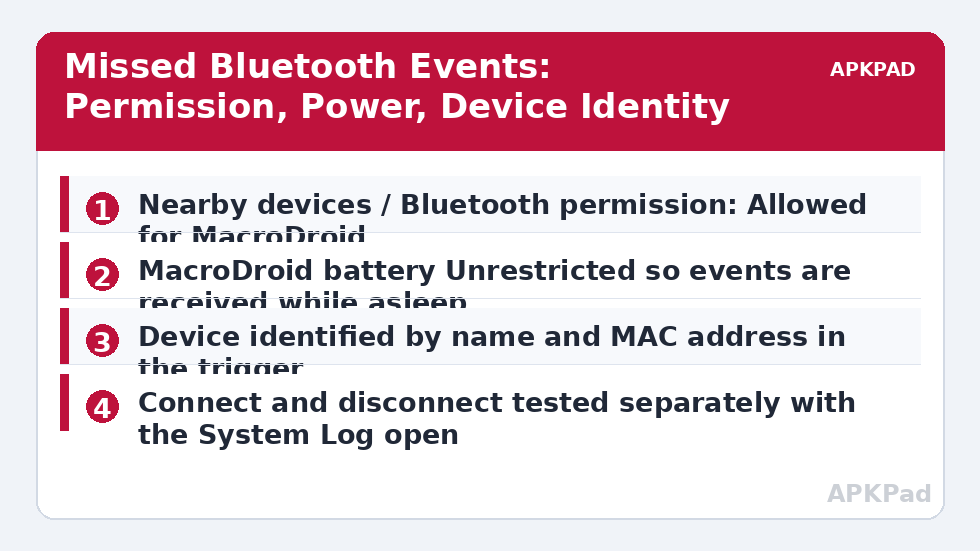
Fix Bluetooth Triggers Missed Events Step by Step
Apply these in order, testing connect and disconnect separately after each step. The log timestamps are your scoreboard: an event is fixed when it lands within a few seconds of the real-world moment.
Step 1: Grant and Protect Bluetooth Access
Open Settings, find MacroDroid under Apps, and check Permissions: on Android 12 and later, Nearby devices must be Allowed; on older builds, confirm Bluetooth-related and location permissions match what the system requested when the trigger was created, since older Android tied Bluetooth scanning to location. If the permission shows as allowed but events are still deaf with the app open and awake, toggle it off and on once to re-register it. While on the app page, disable the unused-app pausing for MacroDroid so a future auto-reset does not quietly remove the permission again — the same revocation pattern detailed in the notification access revoked guide applies to any special access an update or cleaner decides you are not using.
- Nearby devices permission (Android 12+) set to Allow for MacroDroid.
- Pause app activity if unused turned off for MacroDroid.
- Awake test: connect event appears in the System Log within seconds.
How to read this: the estimate adds a small always-on idle cost for MacroDroid itself (about 0.4% of battery per day) to a per-class daily cost for each trigger type you use, scaled slightly by how many macros you run. These are planning estimates from that transparent model — not measurements from your phone. Use them to compare setups before you build, then confirm against the real numbers under Android Settings → Battery.
Step 2: Stop Power Management From Batching the Events
If awake tests pass and idle tests fail, exempt MacroDroid properly for your brand: Unrestricted battery on Pixel and stock Android; on Samsung, Unrestricted plus Never sleeping apps; on Xiaomi’s MIUI and HyperOS, Autostart on with battery set to No restrictions; on Oppo and Realme’s ColorOS, Allow background activity and auto launch. Then repeat the accessory test after leaving the phone locked and idle for at least half an hour. This layer is where most “it worked when I tested it” fixes quietly die, because a two-minute test never sleeps deeply enough to reproduce the fault. The fuller background picture is in the background OEM killing guide.
- Full per-brand battery exemption applied to MacroDroid.
- Idle test repeated after 30+ minutes with the phone locked.
- Connect event lands promptly in the idle test, not on unlock.
Step 3: Identify the Device Precisely and Trigger on the Right Profile
Open the trigger and set it to the specific device by its listed name, and where your build shows it, confirm the address matches the accessory you mean — cars and earbuds with similar names are easy to confuse, and accessories occasionally rename themselves after updates. Watch one full connection in the log and note which profile events arrive and in what order; if the head unit drops and reconnects a profile during negotiation, add a short delay and a connected-state check at the start of the macro so a negotiation wobble does not run your arrival and departure routines back to back. For disconnects, build the delayed re-check pattern: on disconnect, wait a few minutes, then run the away actions only if the device is still disconnected.
- Trigger set to the specific device name, address verified where shown.
- One connection observed in the log to learn the profile sequence.
- Disconnect actions guarded by a wait and a still-disconnected check.
Verify the Fix: Real Journeys, Not Desk Tests
Desk tests flatter Bluetooth. Verify across two real cycles: a genuine drive or commute with the accessory, phone in its usual pocket or mount, screen off. Afterwards, compare the System Log timestamps against when you actually started and stopped. Connect should land within seconds of the accessory powering on; disconnect within a reasonable window of switching off — and for the walk-away case, your delayed re-check should have behaved as designed rather than firing in the car park of a petrol station mid-journey. If one direction is fixed and the other is not, you have narrowed the fault to that direction’s event quality, which is progress worth recording. More patterns live on the APKPad homepage and in the Fixes & Errors index, and if the phone is also failing to toggle tethering around the same accessories, see the sibling guide on Bluetooth tethering automation failure.
When This Fix Won’t Work
Some disconnects will always be late, because the underlying event is the phone eventually giving up on a silent link, and no app setting makes a vanished accessory announce itself. Very cheap accessories with minimal Bluetooth implementations send incomplete event sets that MacroDroid can only work with partially. Dual-phone setups — an accessory paired to two phones — create connect events that depend on which phone the accessory chose, which no trigger design fully controls. And on employer-managed devices, Bluetooth policies can restrict what apps may observe. In those cases, design around the physics: trigger on the reliable direction, and let the unreliable direction be confirmed by a second signal such as Wi-Fi, location, or a time check of the kind used in the sibling guide on time triggers and timezones.
Frequently Asked Questions
Why does my Bluetooth trigger miss the disconnect but catch the connect?
Disconnects are quieter events: the accessory may drop out of range gradually, the phone may be in deep sleep when the link dies, and some accessories never send a clean disconnect at all — the phone simply notices their absence later. Battery freezing of MacroDroid makes the delay worse. Test the disconnect deliberately by switching the accessory off, and design time-critical disconnect macros with a fallback check.
Does MacroDroid need location permission for Bluetooth triggers?
On older Android versions, Bluetooth scanning was tied to location permission, and on Android 12 and later the nearby devices permission governs Bluetooth access. Which one your build asks for depends on its version. Grant the permission the system requests for MacroDroid — nearby devices on newer builds — and if a trigger was built on an old build, re-check permissions after any major update.
Why does the trigger fire for my earbuds but not my car?
Cars present several Bluetooth profiles and often connect as more than one logical device, and some head units connect and drop a profile during negotiation, which confuses simple triggers. Identify the car by its exact device name or address in the trigger, watch one connection in the System Log to see which profile events actually arrive, and trigger on the profile your macro truly cares about — usually the audio one.
Why do Bluetooth events arrive in a clump when I unlock the phone?
Because the phone was asleep and MacroDroid was frozen or batched by power management, so queued events were delivered when the device woke. That fingerprint belongs to the battery layer: set MacroDroid to Unrestricted, enable Autostart on MIUI, HyperOS and ColorOS, and add it to Never sleeping apps on Samsung, then retest with the phone left idle.
Can I make a disconnect trigger fire instantly when I walk away from my car?
Not reliably, and it is better to design honestly than to promise it. Walking out of range is the least clean event in Bluetooth — the link degrades and retries before the phone declares it gone. Combine the disconnect trigger with a delayed re-check: wait a few minutes, confirm the device is still not connected, and only then run the away-from-car actions.