The System Log tells an embarrassing story: while your phone was in your pocket at the shops, it ran your screen-tap macro twice, waved at nobody with its proximity trigger, and lit the screen against your leg until the battery noticed. To fix screen triggers pocket false firing macrodroid behaviour, stop asking why the triggers are broken — they are reporting a pocket’s physics accurately. Fabric, warmth, pressure, and walking motion produce real sensor events; the missing piece is a gate that asks “is this phone actually in a pocket?” before any of those events are allowed to mean something.
First, identify which triggers are actually firing loose. Search the System Log for entries timestamped when the phone was pocketed and untouched, and list the trigger types involved: screen on or off events, proximity changes, shake or gesture triggers, and UI or floating-button taps are the usual suspects. Note the pattern against your day — a burst while walking points at motion and fabric contact; a single fire as you sat down points at pressure and proximity. Each suspect gets a slightly different gate below, and guessing wrong wastes the one experiment that would have told you.
Why Pockets Generate Convincing False Input
Understanding the pocket as a sensor environment explains why each of these causes exists — and why the fix is gating, not sensitivity sliders.
- Fabric touch through thin material: capacitive screens can register a leg through pocket lining, especially with increased touch sensitivity enabled, producing taps and swipes no hand ever made.
- Proximity reads permanently covered: any trigger or macro logic that treats proximity-covered as a deliberate signal will see that signal continuously in a pocket or bag.
- Wake features firing on movement: raise-to-wake, lift-to-check, and double-tap features wake the screen on pocket motion, and every wake is an event your screen-based triggers can consume.
- Gesture and shake thresholds met by walking: a brisk walk delivers rhythmic acceleration that loose shake or flip thresholds can mistake for an intentional gesture.
- Notification wakes stacking events: a busy group chat lights the screen repeatedly in the pocket, and macros keyed to screen-on or notification events run against fabric again and again — the same surface-state problem behind the floating button overlay issues in fullscreen apps.
Fix Screen Triggers Pocket False Firing With Gating
The pattern is always the same: keep the trigger, add a pocket test as a constraint, and let the macro run only when the phone is demonstrably out in the world. Apply the gate that matches each trigger you found in the log.
Step 1: Add the Proximity-and-Light Pocket Gate
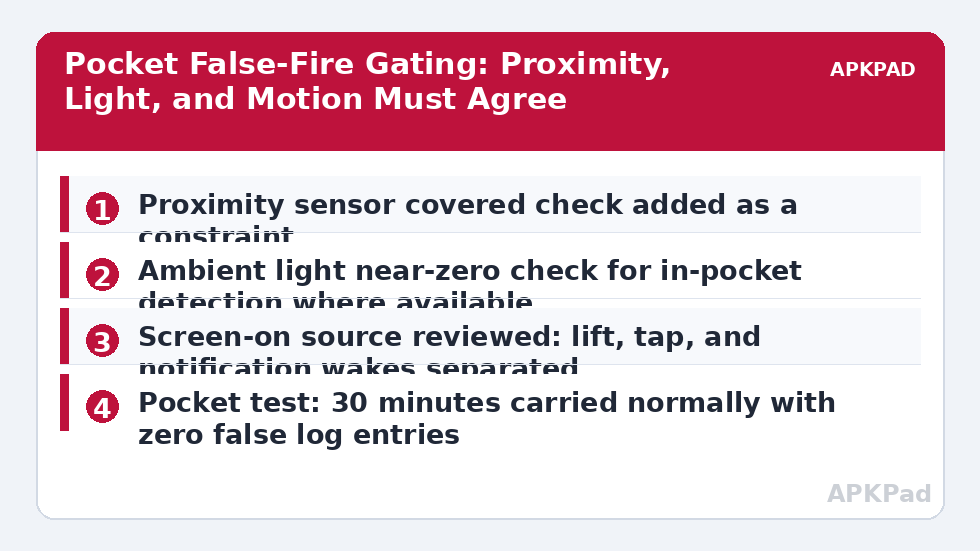
For each affected macro, add constraints so it can only run when the phone is not in a pocket state: proximity sensor not covered, and where your device exposes it reliably, ambient light above a near-dark threshold. In MacroDroid these sit as constraints on the macro or on its key actions, checked at the moment the trigger fires — a screen tap that arrives while the proximity sensor reports covered is discarded instead of executed. Test the gate deliberately: cover the top of the phone with your hand, fire the trigger, and confirm the log shows the macro blocked by its constraint; then repeat uncovered and confirm it runs. This two-state test is the whole technique in miniature, and it borrows the same sensor discipline as the UI interaction lock screen guide, where acting on the wrong surface state was also the core fault.
- Proximity-not-covered constraint added to each affected macro.
- Ambient light threshold added where the sensor behaves reliably on your device.
- Hand-covered test: macro blocked. Uncovered test: macro runs.
How to read this: the estimate adds a small always-on idle cost for MacroDroid itself (about 0.4% of battery per day) to a per-class daily cost for each trigger type you use, scaled slightly by how many macros you run. These are planning estimates from that transparent model — not measurements from your phone. Use them to compare setups before you build, then confirm against the real numbers under Android Settings → Battery.
Step 2: Tighten Gesture and Screen Triggers Themselves
Some triggers should also be made harder to satisfy. Raise shake or gesture thresholds above walking intensity, require a repeated pattern where the trigger supports it, and split screen-on macros by wake source where you can: a macro that should only run when you deliberately unlock has no business consuming notification wakes, so move its real start to a Device Unlocked trigger or add an unlocked-state constraint. Review MacroDroid’s own screen-related settings and your system display settings together — raise-to-wake and double-tap-to-wake are system features, and every wake you prevent is a false-fire opportunity removed before gating even matters.
- Gesture and shake thresholds raised above walking intensity.
- Screen-on macros moved to Device Unlocked triggers or given an unlocked constraint.
- System raise-to-wake and double-tap-to-wake reviewed in display settings.
Step 3: Quieten Notification-Driven Wakes in the Pocket
If the log bursts align with busy chats, the trigger is innocent and the wake source is guilty. In system notification settings, stop the worst offenders from waking the screen, or let your existing notification macros summarise rather than announce each message while the phone is pocketed. A macro-side version works too: gate notification-driven macros with the same proximity constraint, so messages still log or batch silently in the pocket and only announce themselves when the phone comes out. Check that your gating has not broken legitimate alerts by testing one priority contact end-to-end with the phone on the desk.
- Screen-waking disabled for the noisiest apps in notification settings.
- Notification macros gated with the proximity constraint while pocketed.
- Priority contact alert verified working with the phone out of the pocket.
Verify the Fix: The Thirty-Minute Trouser Test
Verification is embarrassingly literal: put the phone in the pocket you actually use, walk your normal routes for at least thirty minutes including sitting down and standing up, and then read the System Log. You want zero runs of the gated macros and, ideally, a few blocked-by-constraint entries proving the gate caught real attempts. Then repeat the desk tests to confirm the macros still fire instantly when the phone is out and in your hand — a gate that blocks everything has not fixed the problem, it has deleted the feature. The APKPad homepage and the Fixes & Errors index link the related sensor and lock-screen guides, and if your proximity macro is itself the trigger you are gating, the sibling article on Bluetooth triggers missing events shows the same confirm-with-a-second-signal thinking applied to connections.
When This Fix Won’t Work
A gate is only as good as the sensors feeding it: a phone with a faulty proximity sensor that always reports covered — check for a badly fitted screen protector or case lip over the sensor first — will either block everything or nothing, and the hardware or the accessory has to change. Very thin athletic clothing defeats fabric assumptions for any phone, and in those conditions the practical answer is a different carry, such as an armband or a zipped pocket with the screen facing outward. Flip covers and wallet cases create their own covered-screen physics that mimic a pocket while the phone is in your hand, so expect to tune thresholds if you use one. And a macro whose entire purpose is to react instantly to the screen lighting, with no tolerance for a gate’s split-second check, may simply be incompatible with pocket carry — better to move it to an unlock or button trigger than to keep apologising for it.
Frequently Asked Questions
Why does my phone trigger macros in my pocket but never on the desk?
Because a pocket is an active environment for a phone’s sensors: fabric presses the screen, the proximity sensor reads covered, the light sensor reads darkness, and walking moves the accelerometer in patterns that resemble deliberate gestures. On a desk none of those inputs occur. A trigger design that is safe on a desk needs explicit pocket gating to be safe in a trouser pocket.
Which constraint is the most reliable pocket detector?
Proximity covered is the workhorse: when the phone is against your leg or in a bag, the proximity sensor reports near, and most screen-driven macros should refuse to run in that state. Combining proximity with very low ambient light makes the detection stronger, because a phone face-down on a desk in a lit room rarely satisfies both at once.
My macro uses the proximity sensor itself as the trigger. How do I gate that?
A proximity trigger that fires on covered is practically designed to fire in a pocket, so gate it with something a pocket cannot easily fake: require the screen to have been on first, require a motion pattern such as a deliberate double wave within a time window, or restrict the macro to contexts such as a charger connected or a specific location. If none of those fit, the honest answer is that the trigger and trousers are incompatible.
Why do pocket false fires cluster in summer or with certain trousers?
Thin fabric conducts the capacitive touches your skin produces, and a warm leg against the screen through thin material can register as contact, especially with touch sensitivity boosted for gloves or screen protectors. If the pattern is seasonal, check the increased touch sensitivity setting and expect to lean harder on proximity and light constraints in those months.
Can I stop the screen waking in my pocket altogether from MacroDroid?
A macro reacts to events; it cannot fully govern the system’s own wake behaviour. Reduce the wakes at their sources in system settings — raise-to-wake, double-tap-to-wake, and notification wake options — and let MacroDroid gate the macros for the wakes that remain. The two layers together solve what neither solves alone.